 SynthMaker
How much CPU
Sound has a deadline. Every few milliseconds the next block of it has to be ready, or you hear a gap. CPU says how much of that time your sound takes, for the whole sound and for each module in it.
1The whole sound
Next to the transport, once the engine has started, a small line says how much of the time the sound takes: CPU 23%, peak 31%. The first number is the average over the last ten seconds. The peak is the busiest second since you last started playing or chose a sound. It stays after the sound stops.
Only a peak near 100% can make a gap. Click the line to start the peak again. In Chrome and Edge the line also counts the gaps themselves, as dropouts, when there are any.

2Each module
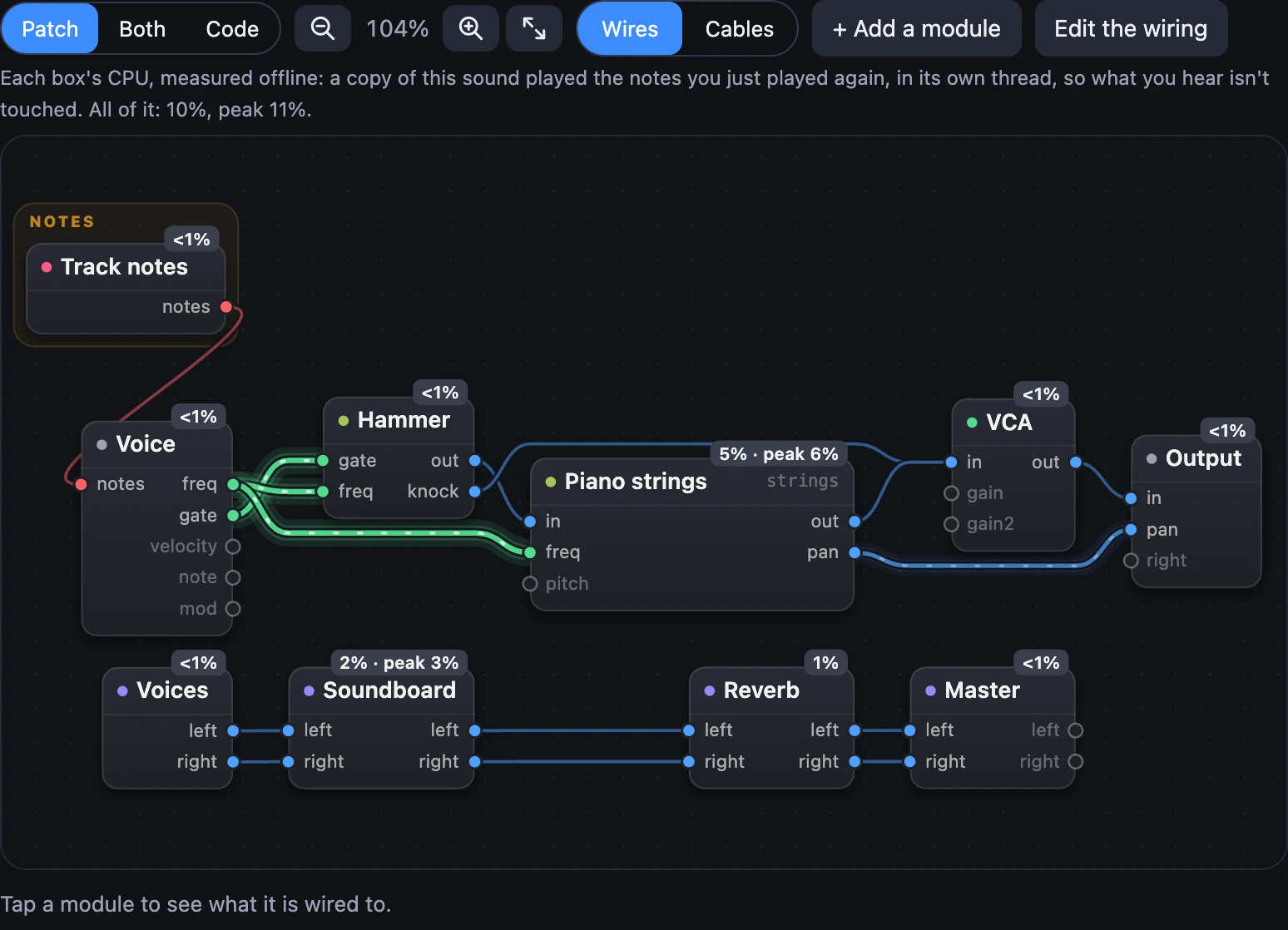
Turn on Show CPU in the Patch's bar (in the wide layout it's in the More menu, beside Show wire types). Each box then says its share, and its peak when that's higher: 12% · peak 18%. A box that says <1% costs less than one percent.
A custom module's box says the total of everything inside it. Double-click to go in and follow the cost down, level by level, to the module that takes it.
Under the bar, a line says what was measured and how much all of it comes to. The modules add up to a little less than all of it: the rest is the engine mixing the voices and tracks together. It can read a little lower than the live number too, by about 2 points and a fifth: playing live, the browser's own work and the rest of the page's audio count as well.
3Measured offline
What you hear is never timed module by module: that would take time from the sound, and a clock this coarse would read the wrong module anyway. Instead, a copy of your sound plays the notes you've just played again, as fast as it can, in a thread of its own, and every module is timed there. That takes about a second on another processor core, and what you hear isn't touched.
What a module costs depends on how many voices are playing. So with Show CPU on, play something: a chord, a phrase, the song. It's measured again after you stop, and every few seconds while you play. Until you do, it plays a four-note chord, and the line under the bar says so.
Try it
- Open Upright Piano and turn on Show CPU.
- Play a big chord with both hands and watch the strings and the soundboard.
- Open Pure Sine, play the same chord, and compare.
Remember
- The readout is live, for the whole sound: its average and its peak, and it's good to about 3 points.
- Show CPU says each box's share, measured offline from what you just played; a custom module says the total inside it.
- Off, Show CPU costs nothing, and what you hear is never disturbed either way.