 SynthMaker
Audio In and Audio Out
Play your guitar through a filter you built, or sing through a delay. Audio In brings a guitar, a microphone or an audio interface into a sound, and Audio Out sends what's wired into it to your speakers or interface. They're ordinary modules with wires, so the Patch shows exactly where the sound goes.
1Two boxes and a wire
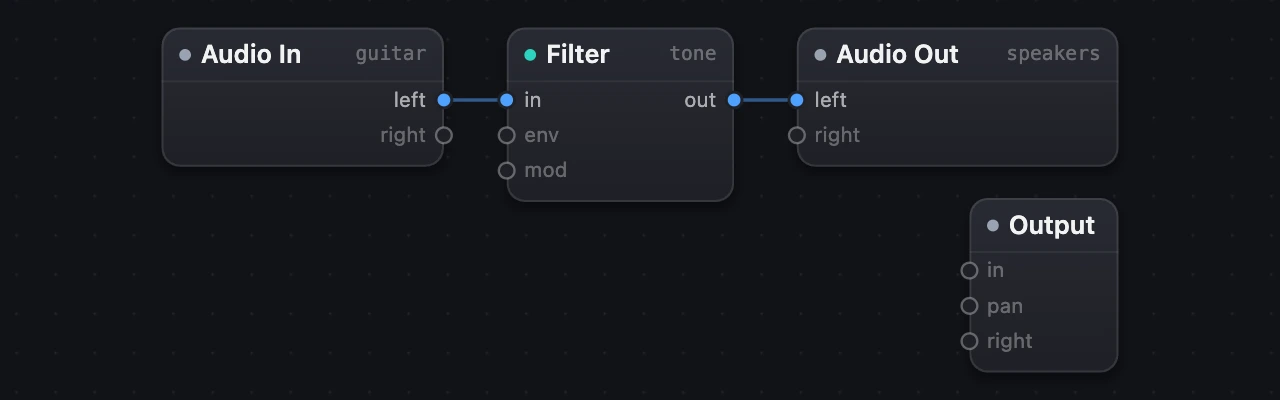
Add Audio In and Audio Out from Add › Tools, and wire Audio In into whatever should shape the sound: a Filter, a circuit, an effect. In code it's three lines and a wire:
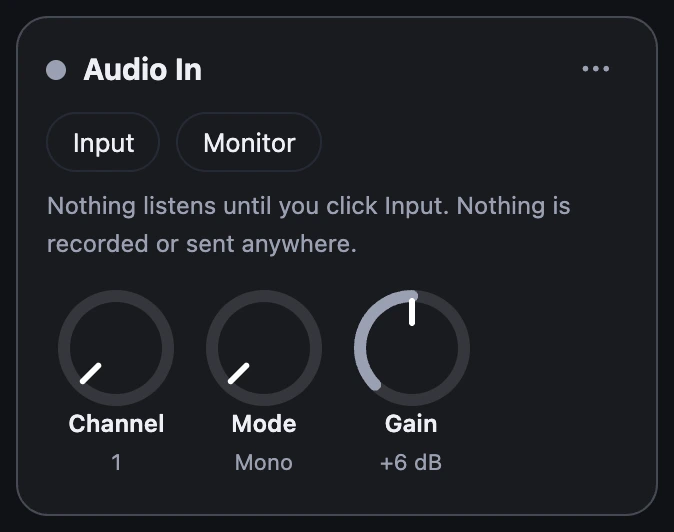
guitar = AudioIn(gain: +6 dB)tone = Filter(resonance: 0.3)speakers = AudioOut() …guitar -> tone -> speakersAudio In's settings are its knobs: channel (which input of your interface, from 1), mode (Mono puts that channel on both sides; Stereo takes it and the next) and gain. Audio Out has a channel too: the first of the pair it plays on.
2One click to listen
Nothing listens until you ask. Opening a sound never opens your input, even one you've allowed before. On Audio In's card, click Input. The first time, your browser or your Mac asks whether SynthMaker may use the microphone. Nothing is recorded or sent anywhere: the sound goes from your input, through your patch, to your output, and nowhere else.
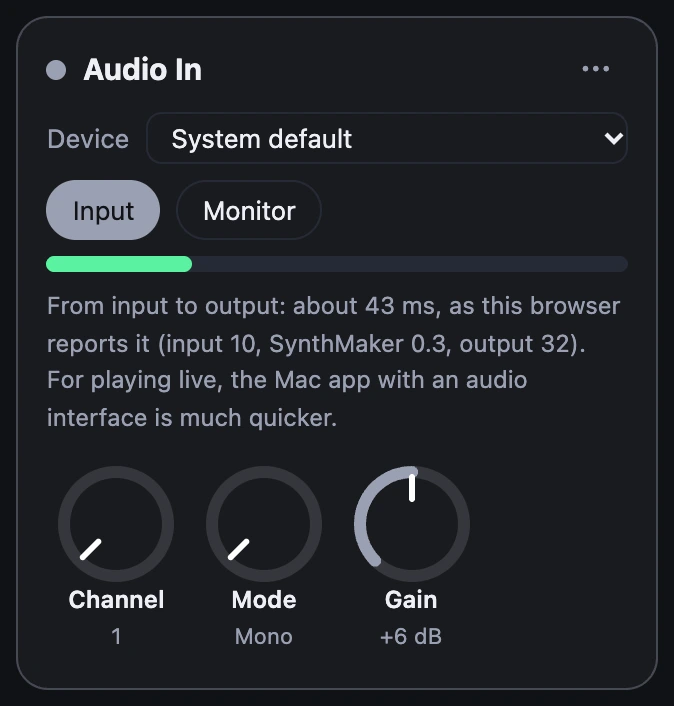
Then the meter moves when you play, but you hear nothing yet: every sound opens muted. Click Monitor, and you're playing through your sound. Choose another sound and the input closes again; changing the same sound keeps it open.
3Keep it safe and quick
A laptop's microphone into its own speakers howls, so then Audio In stays muted and its card says why. Use headphones, or an audio interface. A limiter always guards the output, however loud the input gets.
Every step between your strings and your ears adds a little delay. In the Mac app with a good audio interface it's usually a few milliseconds, which feels like a pedal; it depends on the interface. Settings › Audio has the buffer (128 frames, or 64 for less delay and more work for your Mac) and the delay macOS reports, from input to output. A built-in microphone is much slower than an interface.
In a browser it's more, usually tens of milliseconds, because the browser adds its own buffers on the way in and out. That's fine for trying out a filter or a pedal you built, but for playing, the Mac app is the one. The card says what your browser reports.
4Where the sound goes
With no Audio Out, the sound goes where every sound goes: through the effects and the Master to your output. Wire it into an Audio Out and it plays there instead, skipping the Master's own limiter, which takes off 1.5 milliseconds. The song still plays to the output too, unless you wire master -> speakers; nothing plays twice.
Try it
- Put on headphones, and plug in your guitar or interface (or use the microphone).
- Open the example and click Input on Audio In's card. Allow the microphone if you're asked.
- Play, watch the meter, then click Monitor. Turn the Filter's cutoff down and up as you play.
Remember
- Audio In and Audio Out are modules: wire them, and the Patch shows where the sound goes.
- Nothing listens until you click Input, and every sound opens muted: Monitor turns the sound on. Nothing is recorded or sent.
- Use headphones or an interface. For playing live, the Mac app with an interface is quickest.