 SynthMaker
Presets and macros
One sound, many voices: a dark one, a wide one, a slow one. A preset keeps the settings that make the difference, inside the sound, and a Macro is one knob that turns several settings at once. Both are written in the sound's code, so a preset you share comes with the sound.
1Choose a preset
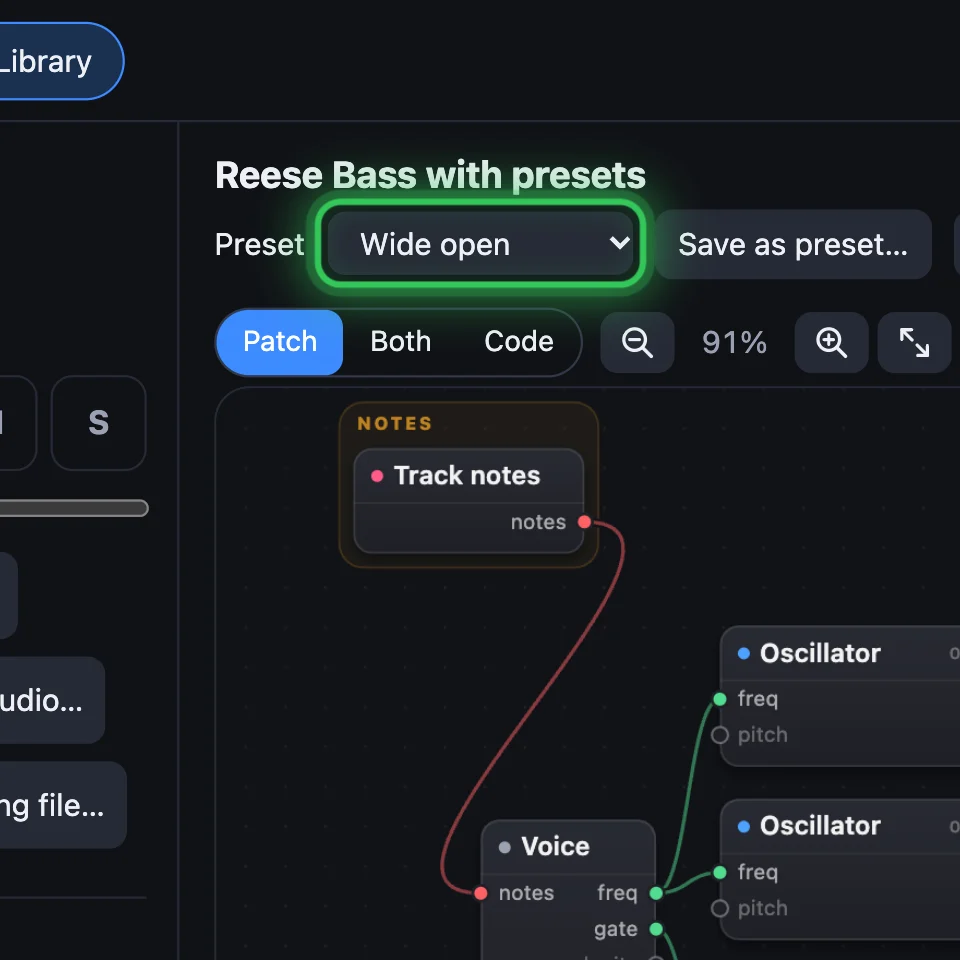
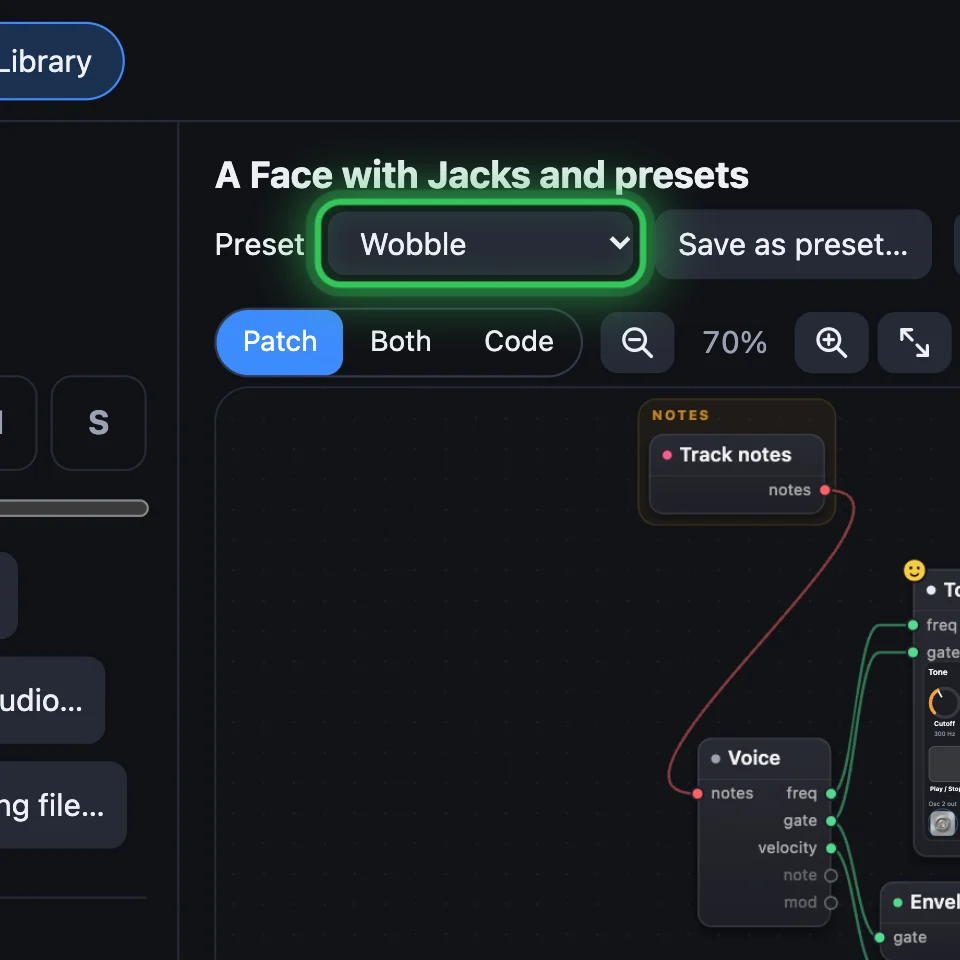
Under the sound's name, Preset lists its presets. Default is the sound itself, its own values. Choose another and its knobs glide there in a quarter of a second, each along its own travel, so nothing clicks. Choosing is one step: Undo takes it back.
With a preset chosen, turning a knob or plugging a cable changes only what you hear: the preset says (edited), and Save keeps the changes in it. Choose it again, or another, and the changes go; Undo brings them back. With Default chosen, a turn changes the sound itself.

2Save as preset
Turn the knobs until it sounds right, click Save as preset…, give it a name and click Save. The preset keeps only the knobs that differ from the sound itself (from the sound as you opened it, when you started from Default), and it's chosen at once. The sound keeps its own values: choose Default to hear them.
Delete preset takes the chosen one away and goes back to the Default.
3What a preset says
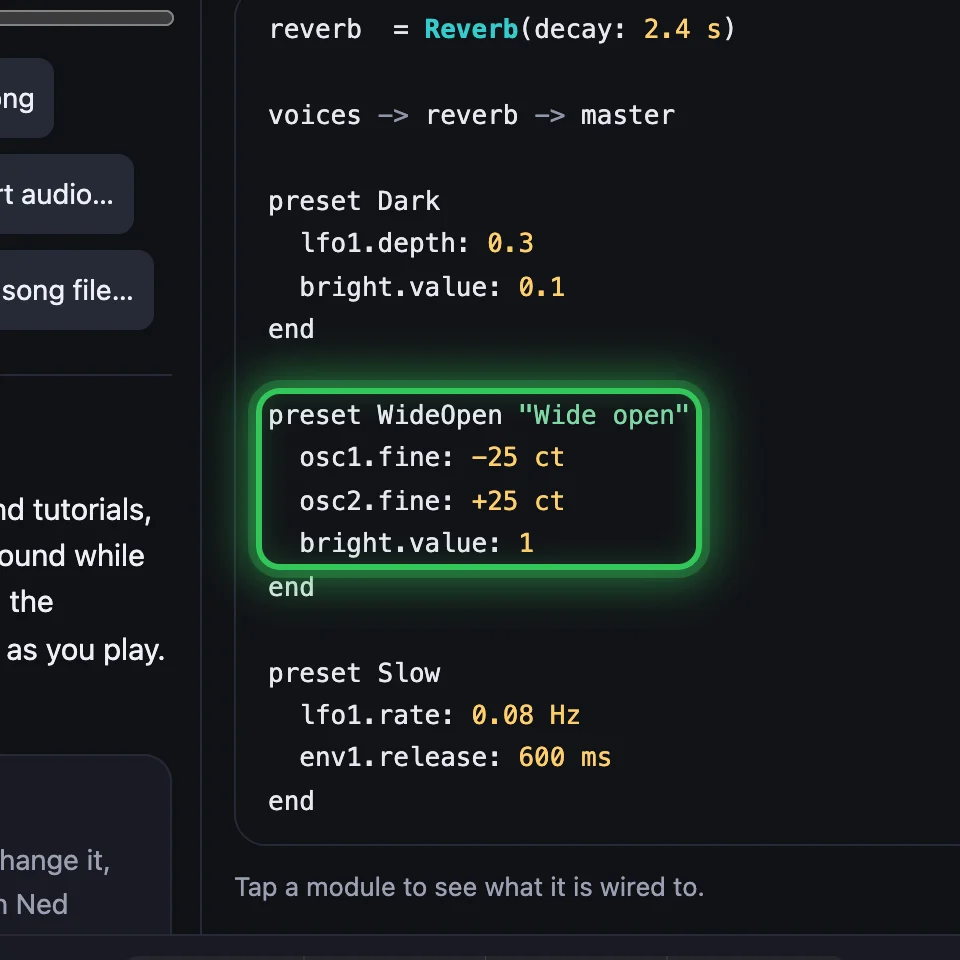
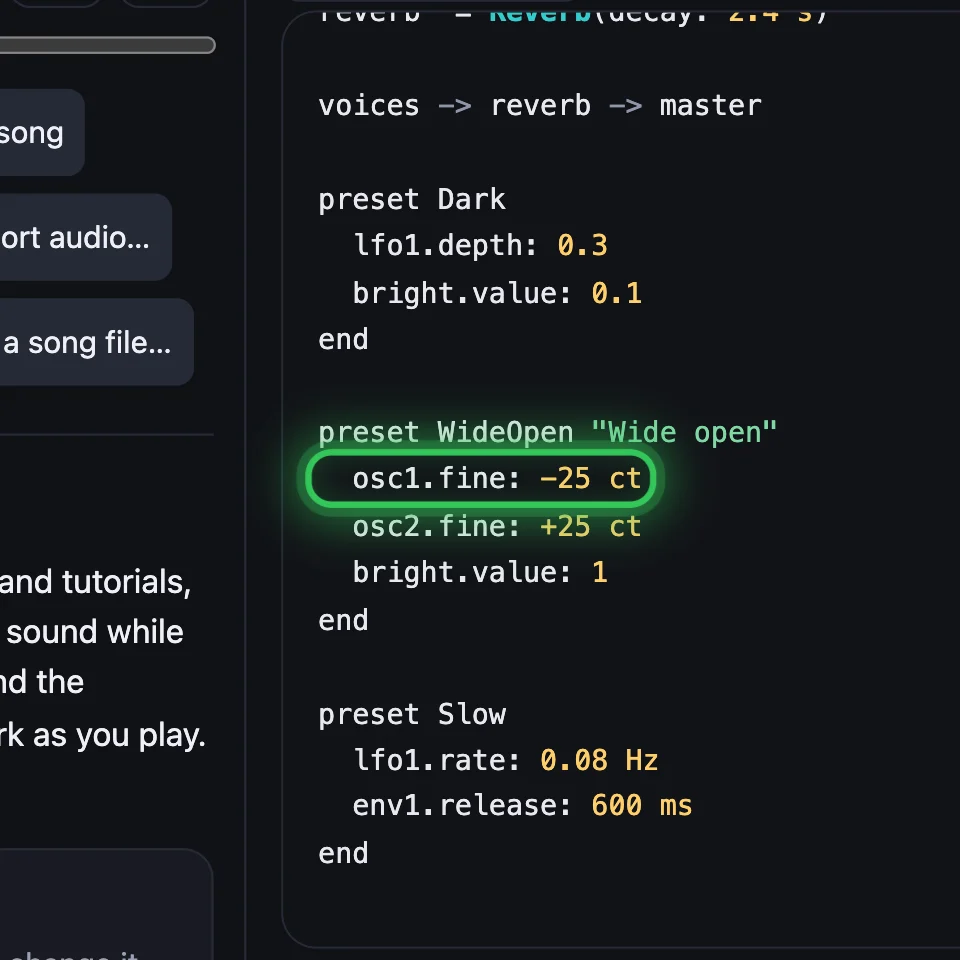
In the code, each preset is a block after the patch: its name, the settings it changes, end. A name with spaces goes in quotes after a name of letters and digits:
preset Dark lfo1.depth: 0.3 bright.value: 0.1end …preset WideOpen "Wide open" osc1.fine: -25 ct osc2.fine: +25 ct bright.value: 1end …preset Slow lfo1.rate: 0.08 Hz env1.release: 600 msendEach line is module.setting: value, written as the knob shows it. A setting inside a module of your own is reached with dots, as far down as it is: sound.filter.cutoff: 1 kHz.
4One knob, many settings
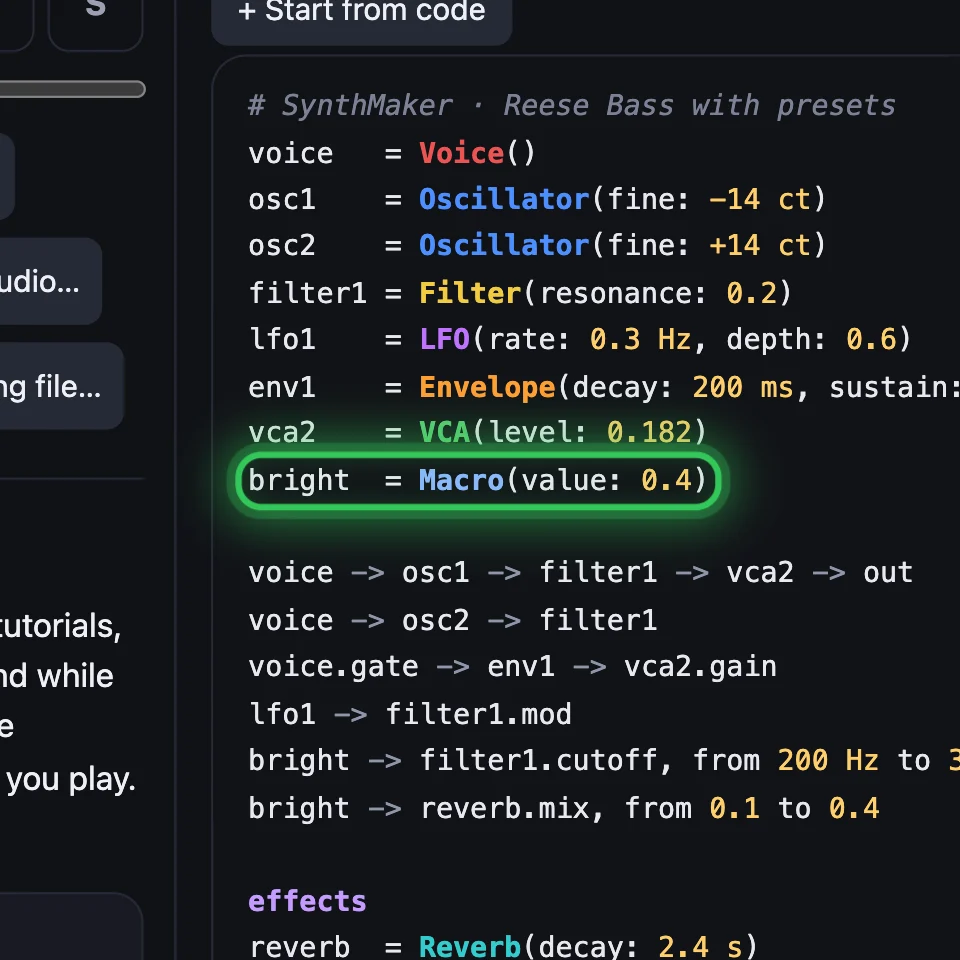
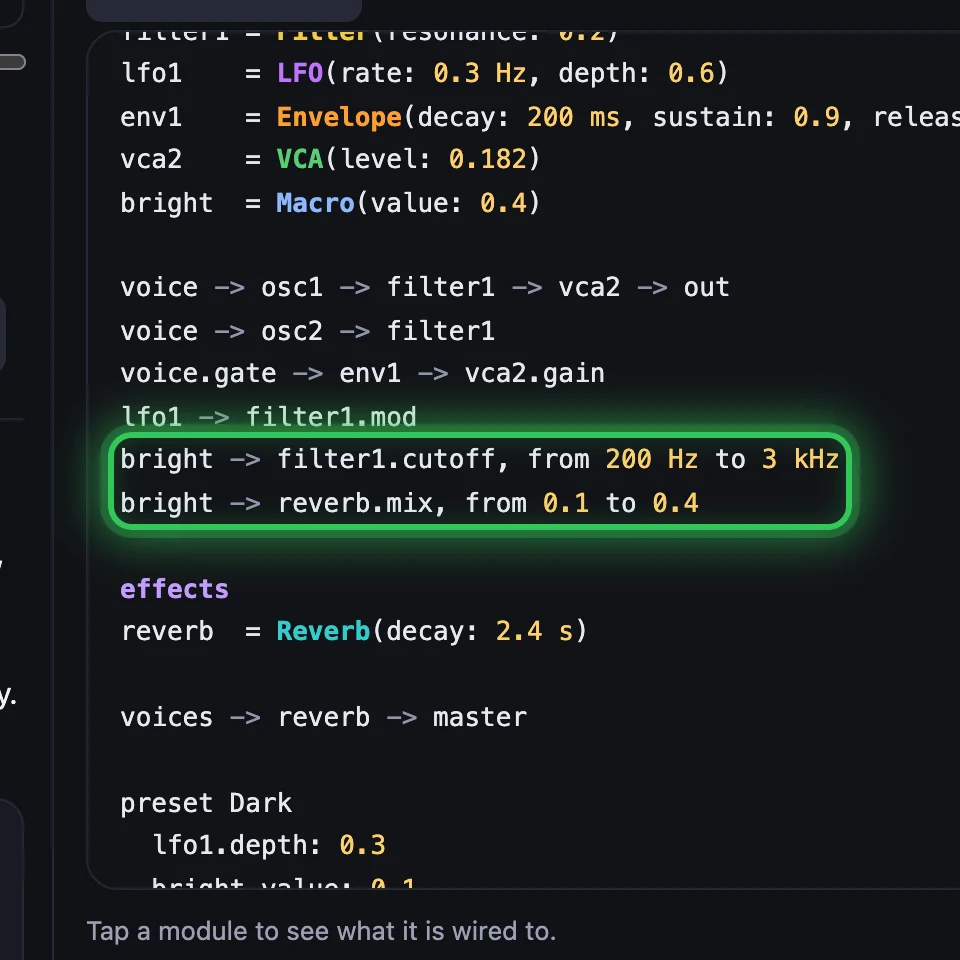
A Macro is a module with one knob. Add it from Add › Shape and move, then choose Turn a setting… on its card for each setting it should turn. Each wire gets its own range, placed so the setting stays where it is, and the card lists them, with ✕ to take one out. In the code, the range is after the wire:
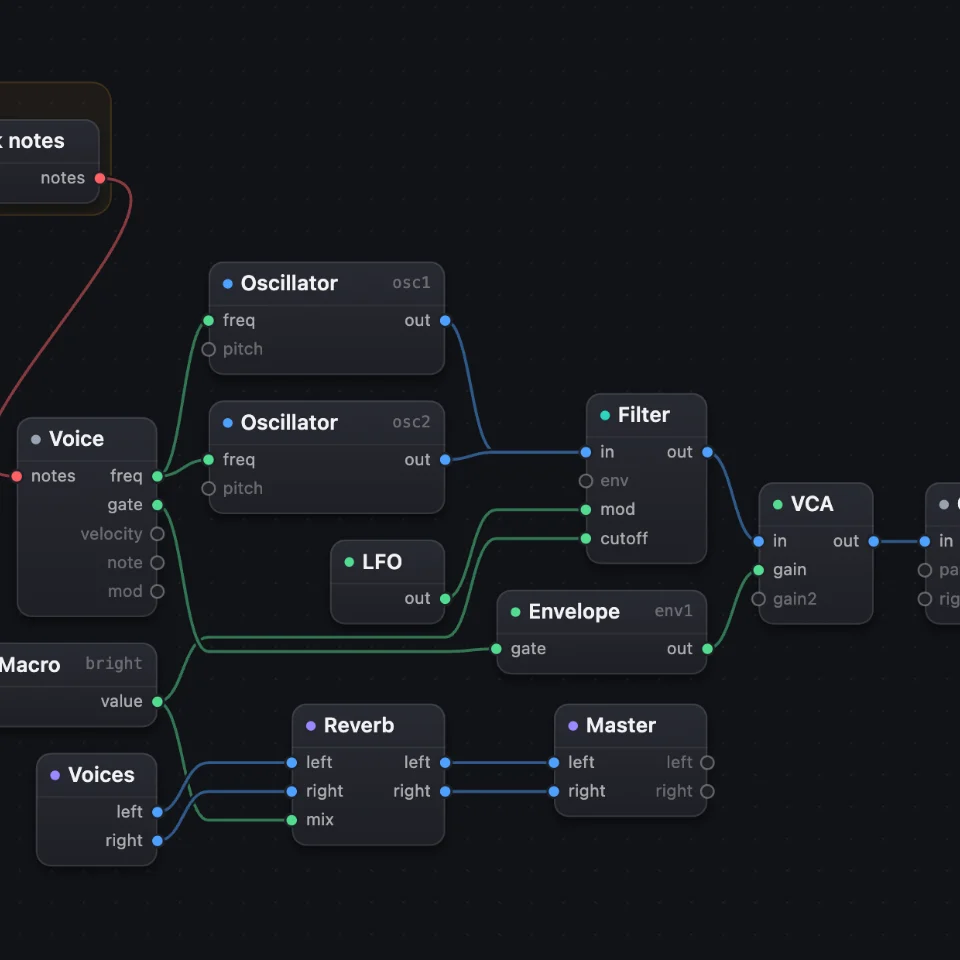
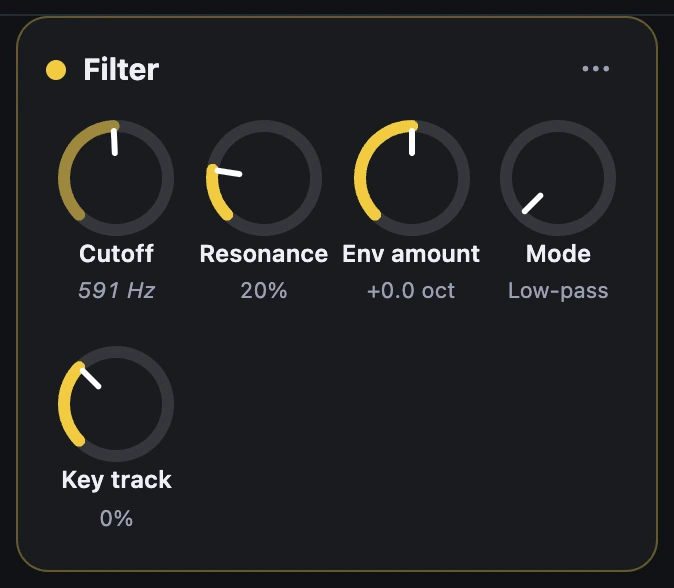
bright = Macro(value: 0.4) …bright -> filter1.cutoff, from 200 Hz to 3 kHzbright -> reverb.mix, from 0.1 to 0.4Each setting follows the macro along its own knob, so the cutoff moves in octaves: half way is 775 Hz, not 1.6 kHz. Its wires are in the Patch, like any other.
5A macro owns what it turns
A setting with a macro's wire is wherever the macro puts it. Its knob follows the macro and says so: turn the macro instead. In the code it's left out of its module's line, and a preset keeps the macro's value (bright.value: 0.1), never the setting.
6Cables in presets
On a modular, the cables are the patch. The sound's own wires always stay; one from an output jack to an input jack is a normal, hard-wired. A cable plugged between two jacks on a face is a patch cable, and a cable into an input takes the place of that input's normal while it's plugged.
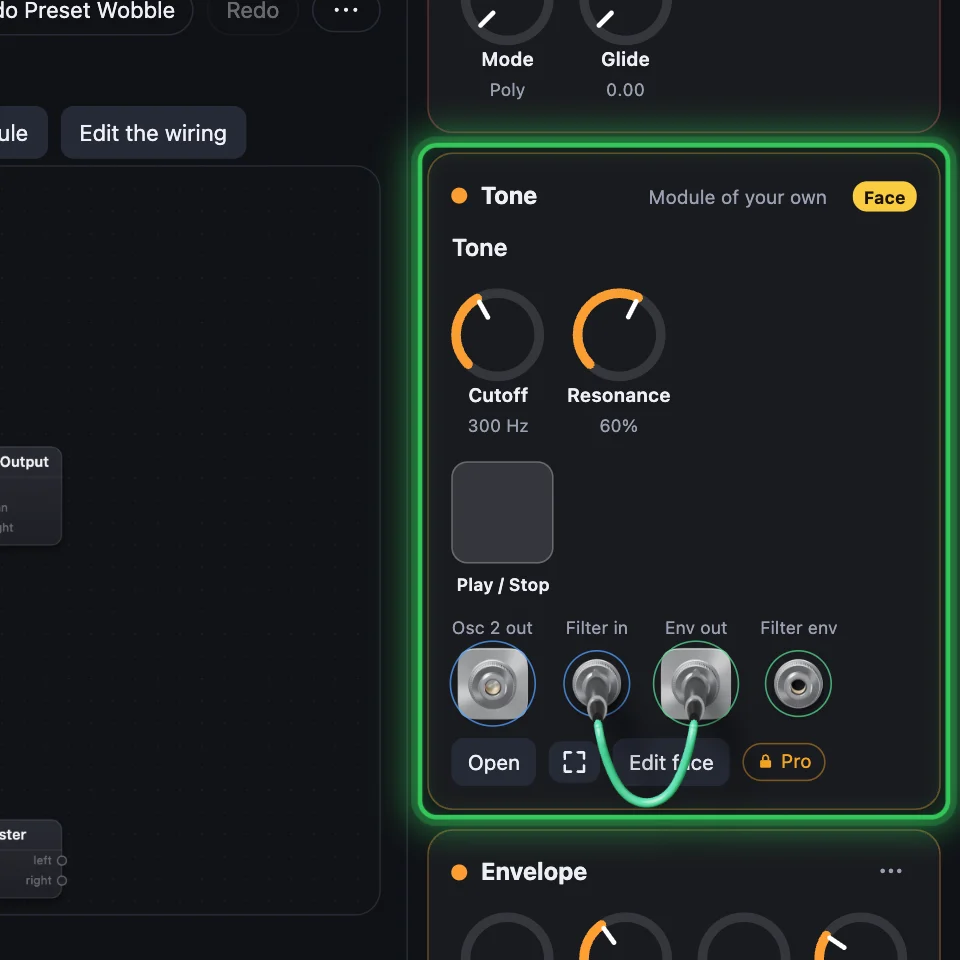
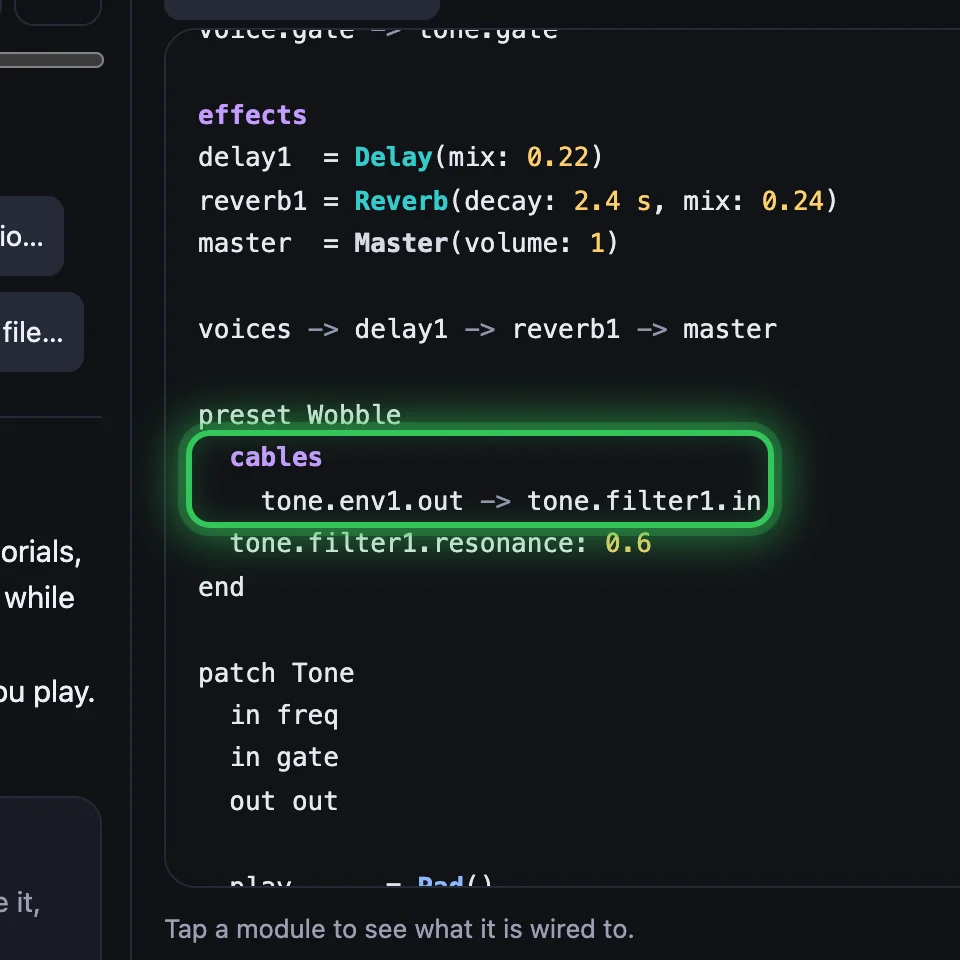
A preset can plug its own cables. Under a line cables, each cable joins two jacks' ports, written from the top of the sound:
preset Wobble cables tone.env1.out -> tone.filter1.in tone.filter1.resonance: 0.6endChoose it and the face's cables swing into place: the preset's in, every other out. A preset without a cables line leaves the cables as they are. Save as preset keeps the cables too, when they differ from the sound's.
Try it
- Open the example and play a few low notes.
- Choose Dark, then Wide open, then Default, and listen to the knobs glide.
- Turn the macro bright on its card and watch the Filter's cutoff follow. Turn the resonance, then Save as preset…
Remember
- The Default is the sound itself; a preset keeps only the settings it changes.
- Choosing a preset glides the knobs there, one step to undo.
- A Macro is one knob; each wire from it has a range, along the setting's own knob, and the macro owns that setting.
- A preset can plug its own patch cables; the sound's own wires are normals and always stay.