 SynthMaker
Jacks and cables
A Jack is a view on a face, like a Knob, but it names a port of a module. Pull a cable from one jack into another and you've made the wire between those two ports: the same wire as in the Patch and the code, saved with the sound, and Undo takes it out.
1Add a jack
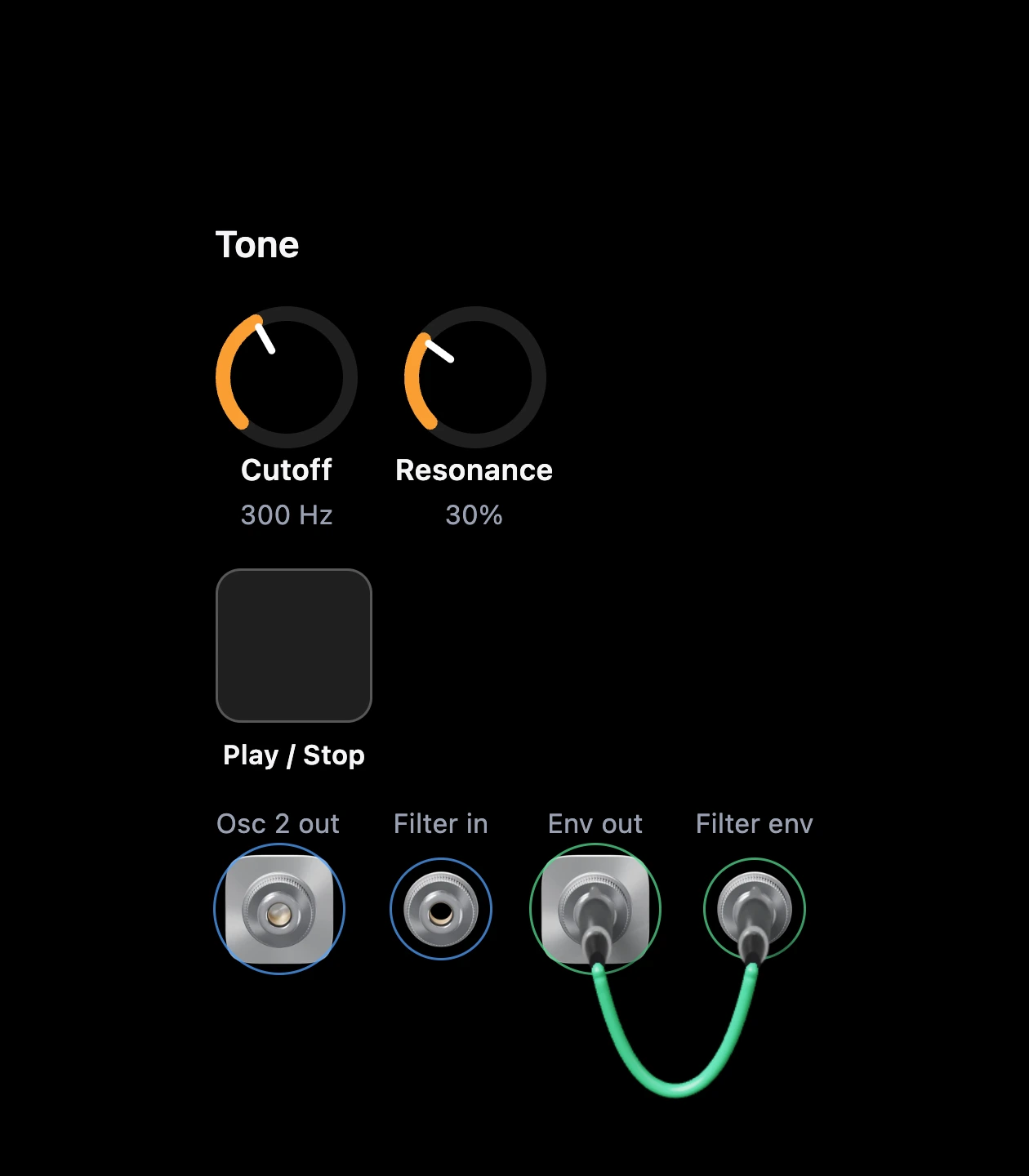
On a module of your own, choose Edit face, then Add a jack for…. The list has every output and input of every module inside, at any depth. The new view reads like this:
Jack("Filter in", input: filter1.in)
Jack("Osc 2 out", output: osc2.out)
An output sits on a small, lighter plate. An input sits straight on the panel. The ring around a jack has the colour of the wire its port carries, and its label says what it is.
2Pull a cable
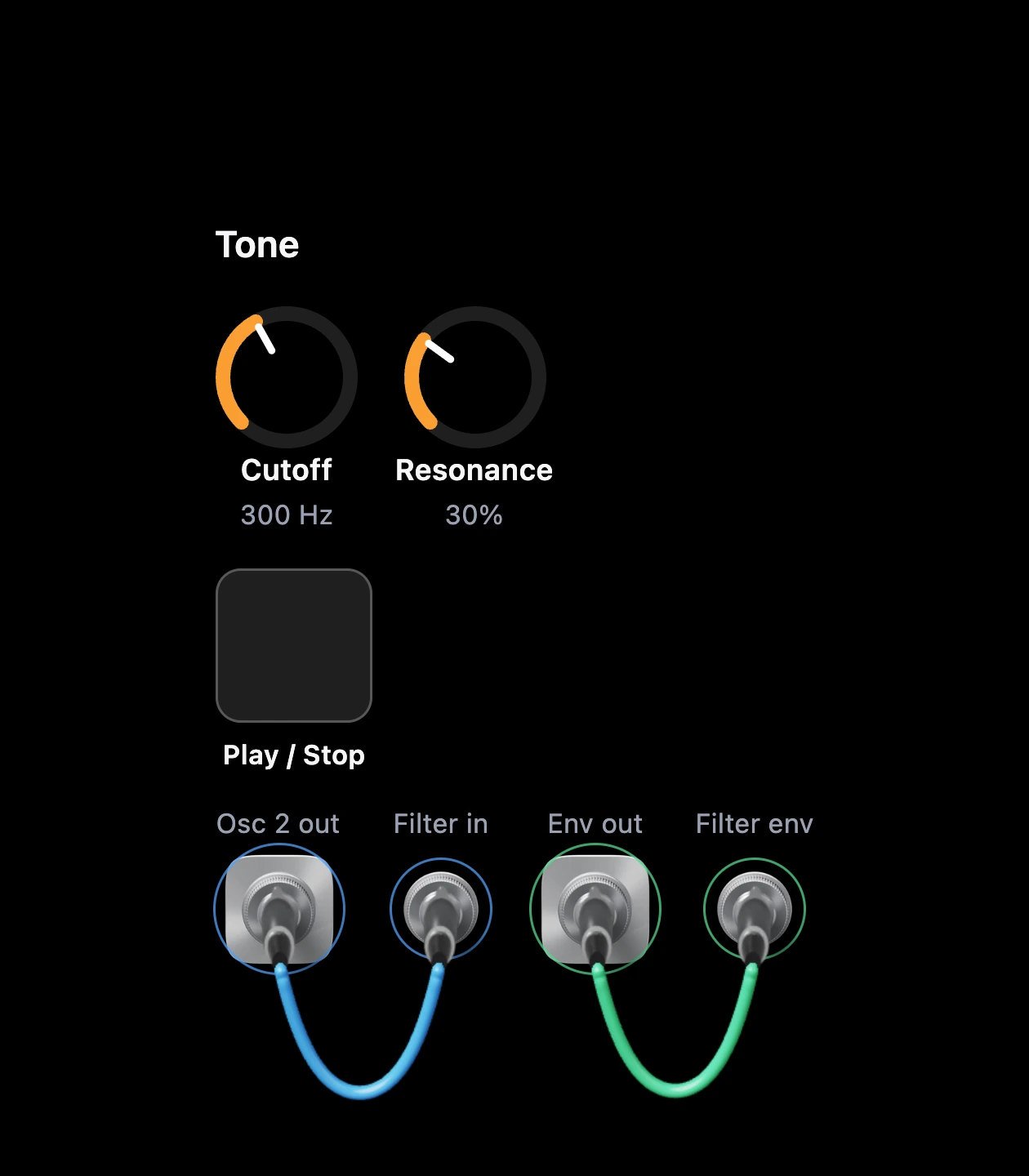
Drag from a jack. A plug comes out on a cable and swings under your finger. The jacks that can take it glow softly, and the others stay dark. Let go over one that glows: the plug drops in, wobbles and settles, and you hear the change.
To unplug, pull the plug out and let go in the air. To move it, let go over another jack; that's one step for Undo.
You can also tap one jack and then another, or press Enter on each. The same two again takes the wire out.
3The same rules as the Patch
- Output to output, or input to input: the plug doesn't seat. It springs back with a little bounce, and a short message says why.
- One output into several inputs: fine, and the plugs stack, one on the back of the last.
- Several outputs into one input: fine, as in the Patch.
- Kinds that don't join: the same refusals, in the same words, as wiring in the Patch.
4Across levels
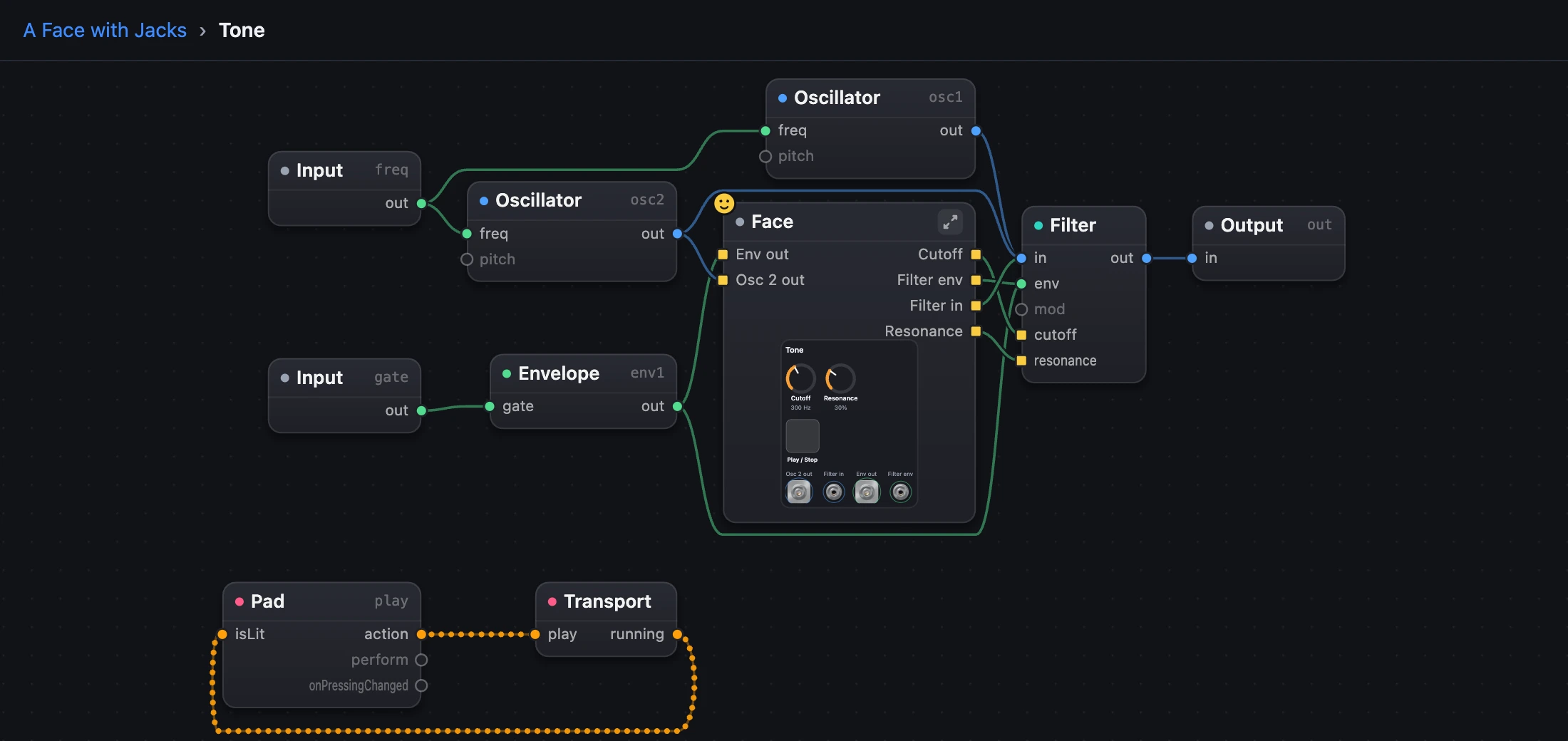
A jack can name a port inside a module inside your module. A wire can't jump levels, so the cable goes through ports on the modules along the way, exactly as you would by hand. They appear in the Patch and in the code when you plug in, named after what they carry (osc3_out), and they go when you unplug.
A port you added yourself is used if it's there, and it stays when the cable leaves.
Inside the module, the Face box shows each jack's wire, as it shows each knob's.
5Cables in the Patch
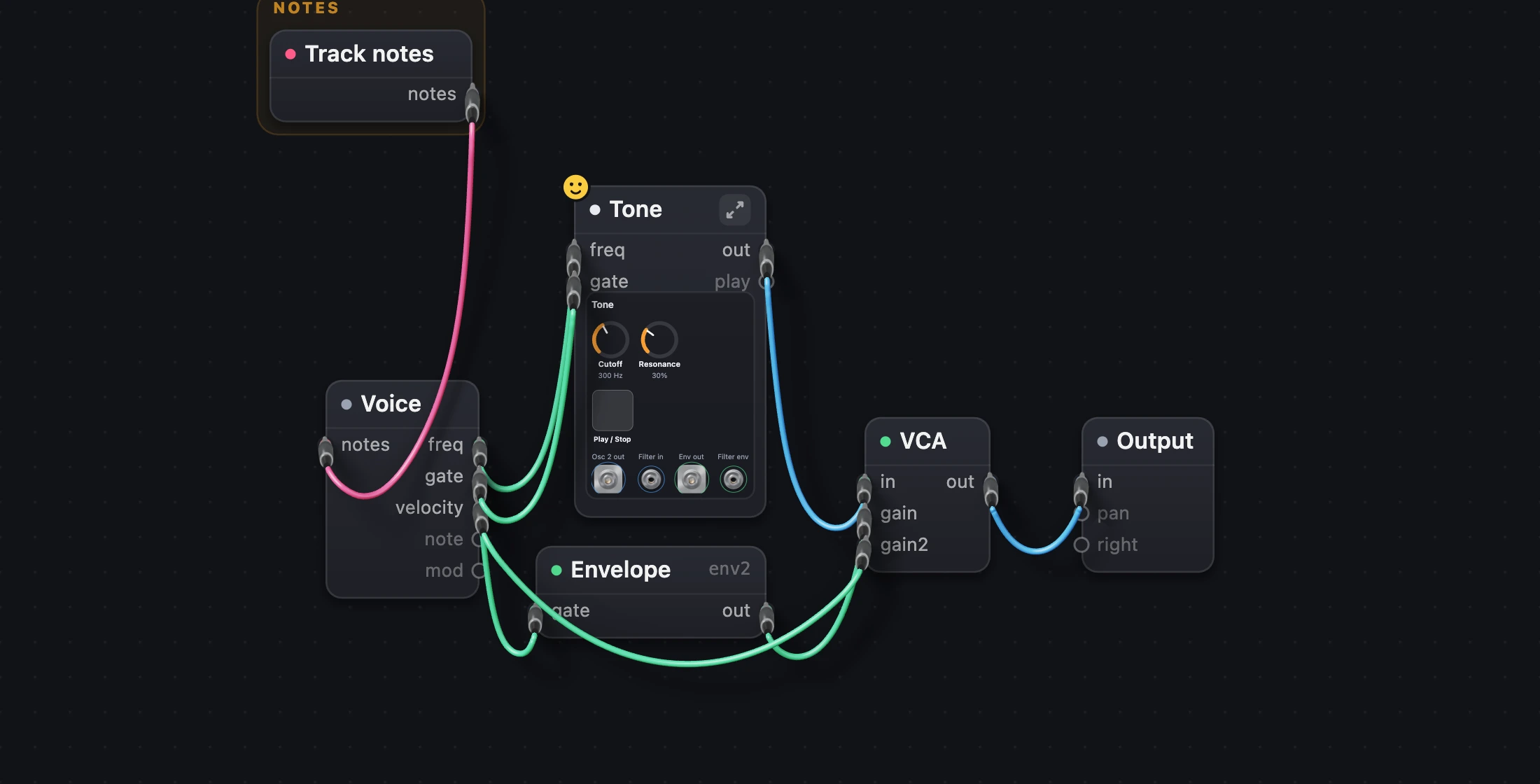
Above the Patch, Wires | Cables draws any sound's wires as hanging cables. You still tap and wire as usual. It's only a way of drawing: the sound and its code don't change, and Undo has nothing to do.
The small menu beside it chooses how cables look on this device: Studio (slim, coloured by wire type), Vintage (woven cloth, turned brass) or Stage (thick black rubber).
Try it
- Open the sound below and press Play.
- Pull a cable from Osc 2 out into Filter in, and hear the second oscillator join.
- Press Undo, then look in the code: the wire has gone.
Remember
- A Jack names a port. A cable between two jacks is the wire between those ports.
- On a plate, it's an output; straight on the panel, it's an input. The ring shows the kind.
- Wires | Cables and the look are how you see the patch, never part of the code.