 SynthMaker
The face box
In the Patch, a module of your own with a face shows it right in its box. A box has three sizes: its mini face, its front panel, and open.
1A mini face
Open My First Face. The Tone box shows a small copy of its face under its ports. It's live: the knobs move and the pads light as the sound plays.
A mini face is only to look at. A drag on it moves the Patch, as on any box.
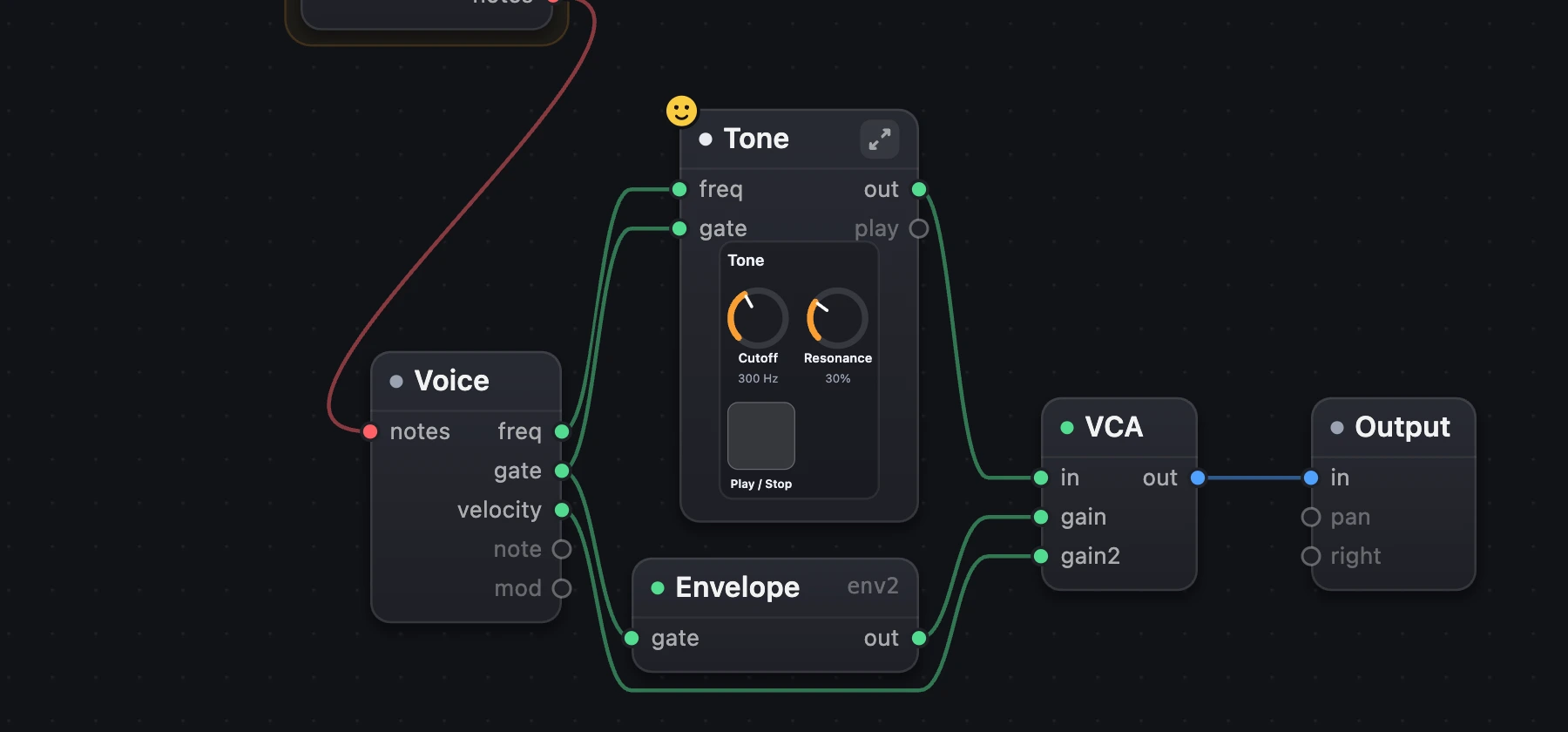
- Tone, with its mini face.
- Its wires stay on its edges.
2Play it in place: the front panel
- Choose the button on the right of the box's header. The box now shows its front panel, full size.
- Turn a knob or press a pad, right there in the Patch.
- Drag the box's bottom-right corner to make it bigger or smaller. The face lays itself out again, as a SwiftUI view does when its window resizes: grids, spacers and flexible frames take the new room, and a face with nothing flexible sits in the middle.
- Double-click the corner to give it back its natural size. The header's button takes it back to its mini face.
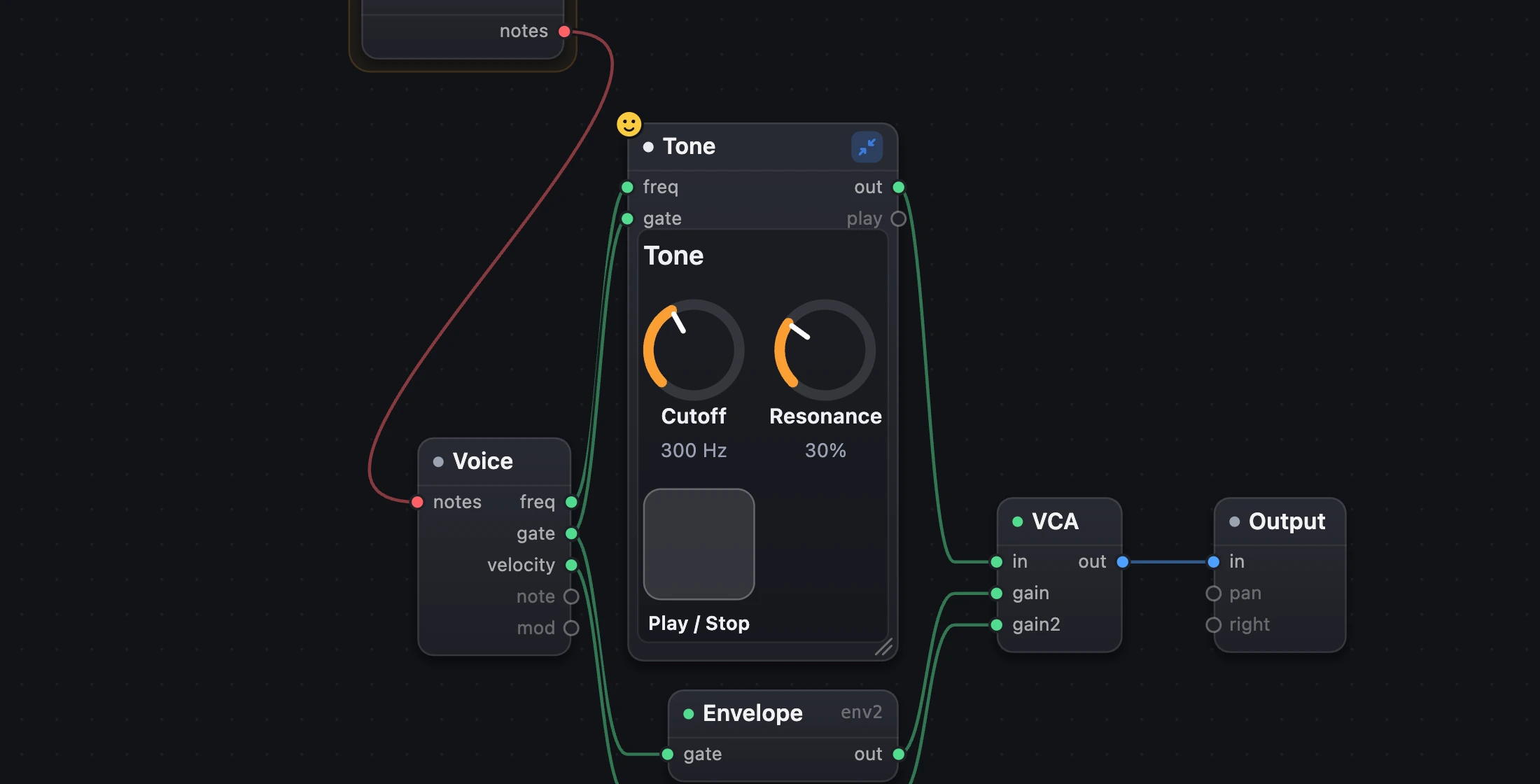
- Its front panel, playable.
- Drag to resize.
3Open it
Double-click the box to go one level down. Inside, the face is one box called Face, with its own mini face. Each knob's binding is a wire from Face to the setting it turns.
Double-click Face to go inside it. There, a Content box starts the yellow chain of its views, as Inside a face shows.
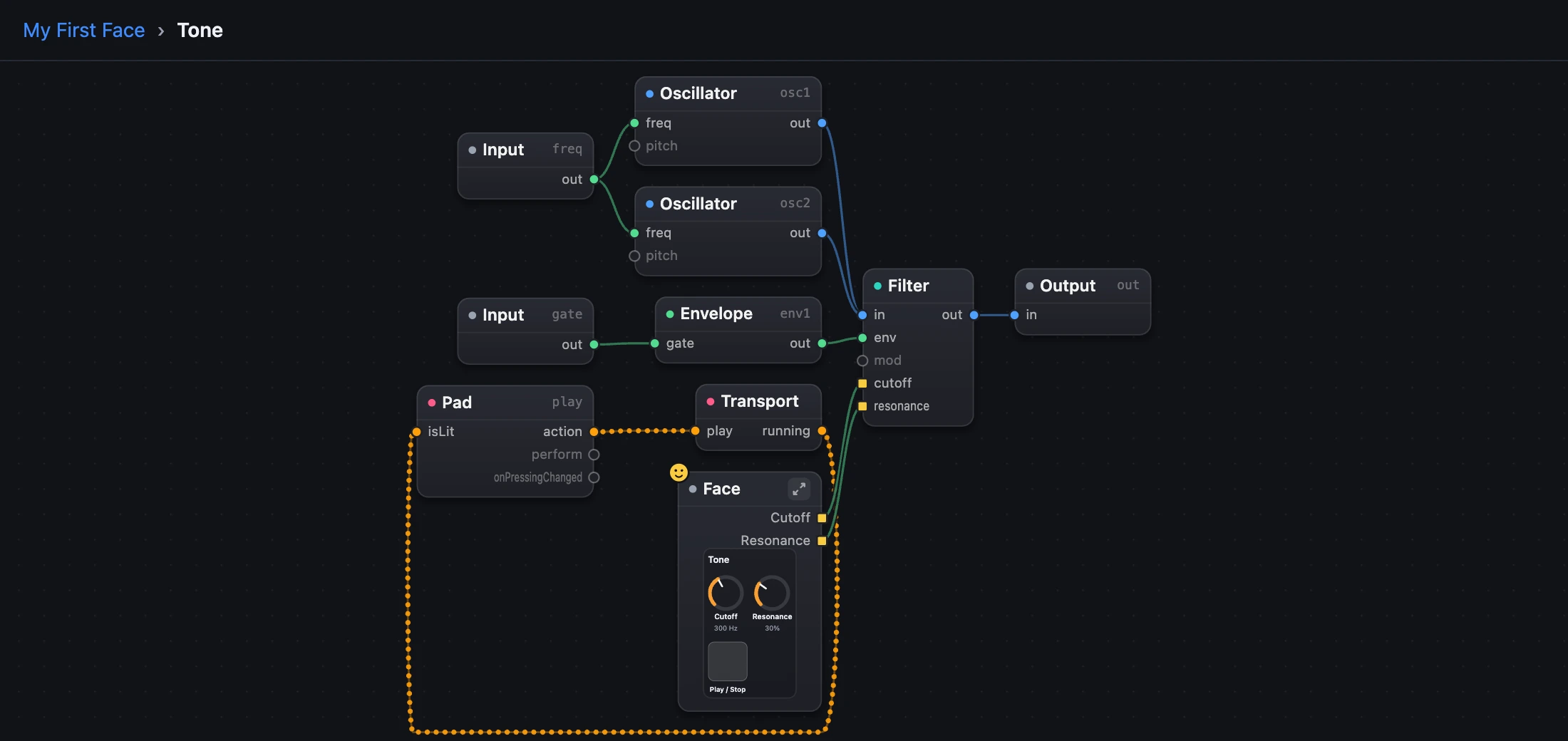
- The face: one box, Face.
- What its knobs turn.
4The sound's face
Full screen, a shared link and the Manual's live pictures show one module's face: the sound's face. A small yellow face badge marks its box. A module without views plays its settings as knobs.
By default it's the module called Face. A sound without one shows its first module with views. To choose another, right-click any box (touch and hold on a phone) and choose Show as Face.
In the code it's one line:
face = toneA module inside another is written with a dot: face = tone.inner.
Try it
- Open My First Face and find Tone's mini face.
- Show it as its front panel, turn Cutoff, then drag its corner.
- Double-click Tone, then Face, to see its views.
Remember
- A box with a face shows its mini face. The header's button shows its front panel, to play in place.
- A box's size is how you look at it, never part of the code.
- The sound's face is the module called Face, unless
face = …says another.