 SynthMaker
Modifiers
A modifier changes the view it follows: its padding, its size, its colours, its font. They apply in the order written, as in SwiftUI, and in the Patch they're a purple chain.
1The purple chain
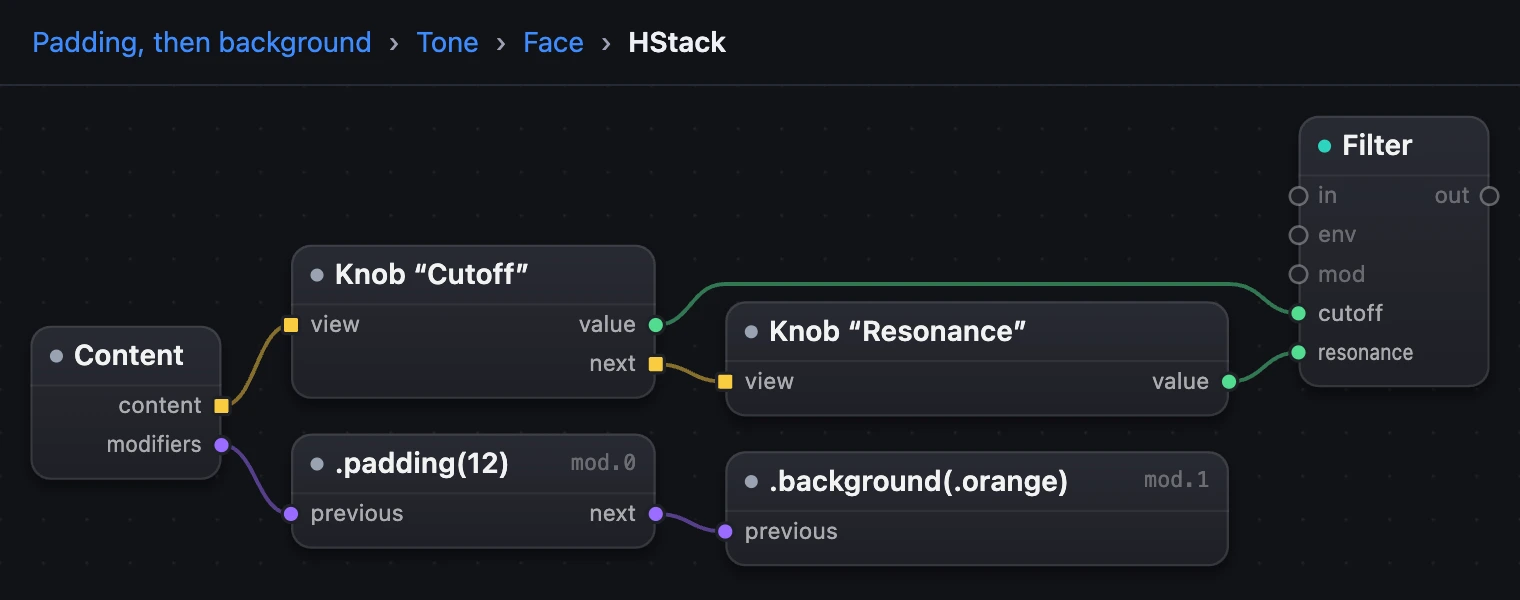
Inside a view's level, its modifiers hang from its modifiers port, one box each, joined previous to next in the order they apply. Here the row of knobs has two: .padding(12), then .background(.orange).
2The order changes the picture
The same two modifiers, the other way round, draw something else. .padding then .background colours the padding too; .background first colours only the row, and the padding goes outside it.
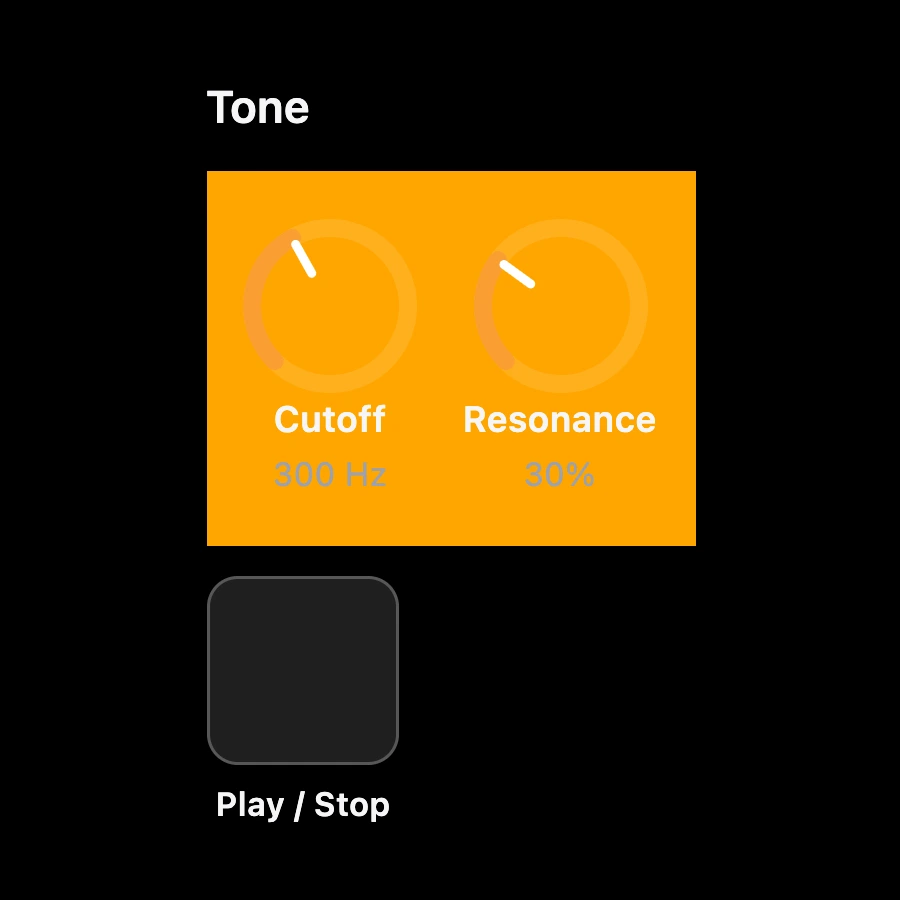
.padding(12) then .background(.orange)
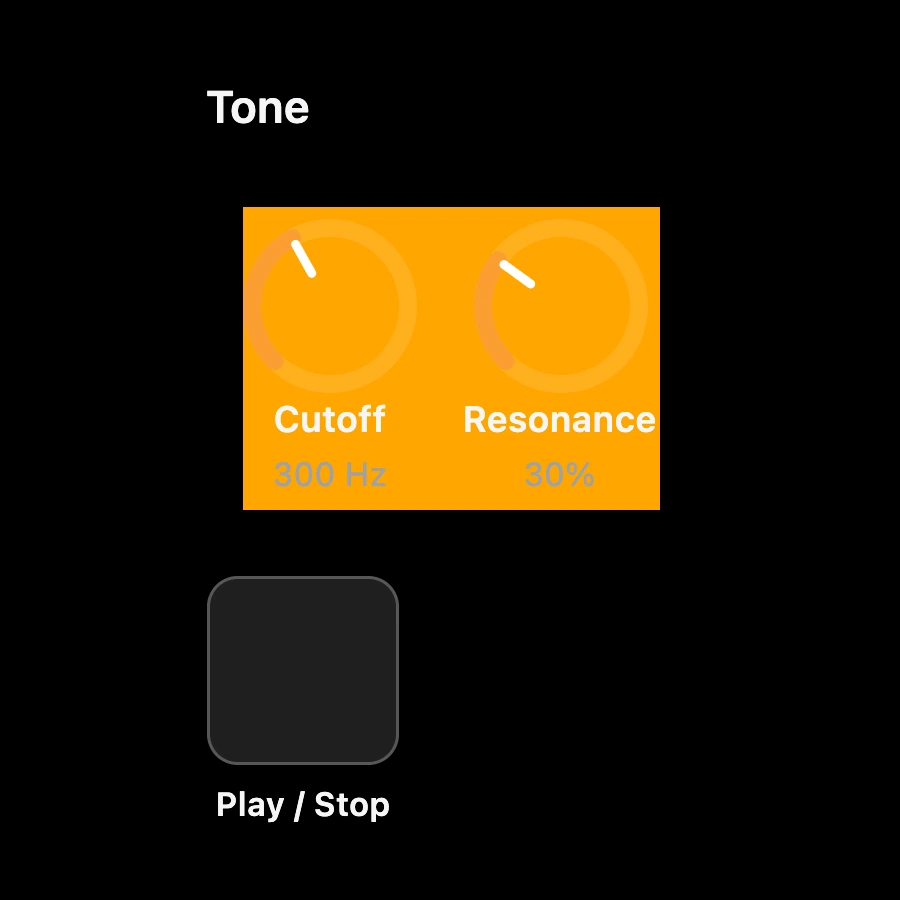
.background(.orange) then .padding(12)
VStack(alignment: .leading, spacing: 10) { Text("Tone") .font(.headline) HStack(spacing: 14) { Knob("Cutoff", value: filter1.cutoff) Knob("Resonance", value: filter1.resonance) } .padding(12) .background(.orange) Button("Play / Stop") { play() }}3Add, change and remove
In the face editor every view has Add modifier…. A modifier's numbers and choices are fields right in its line, and ✕ removes it.
| Modifier | What it does | You set |
|---|---|---|
.padding | Room round the view, in points | its size, from 8 |
.frame(width: 80) | A fixed width | |
.frame(maxWidth: .infinity, maxHeight: .infinity) | Fills the room it's offered | across, down, both or neither |
.aspectRatio(1, contentMode: .fit) | Keeps a shape | the ratio, .fit or .fill |
.background(.orange) | A colour behind it | |
.foregroundStyle(.secondary) | Its text and lines dimmer | |
.font(.caption) | Smaller text | |
.opacity | See-through, 0 to 1 | its opacity |
.onLongPressGesture(minimumDuration: 0) | A Button's press as messages (Presses are messages) | the duration, in seconds |
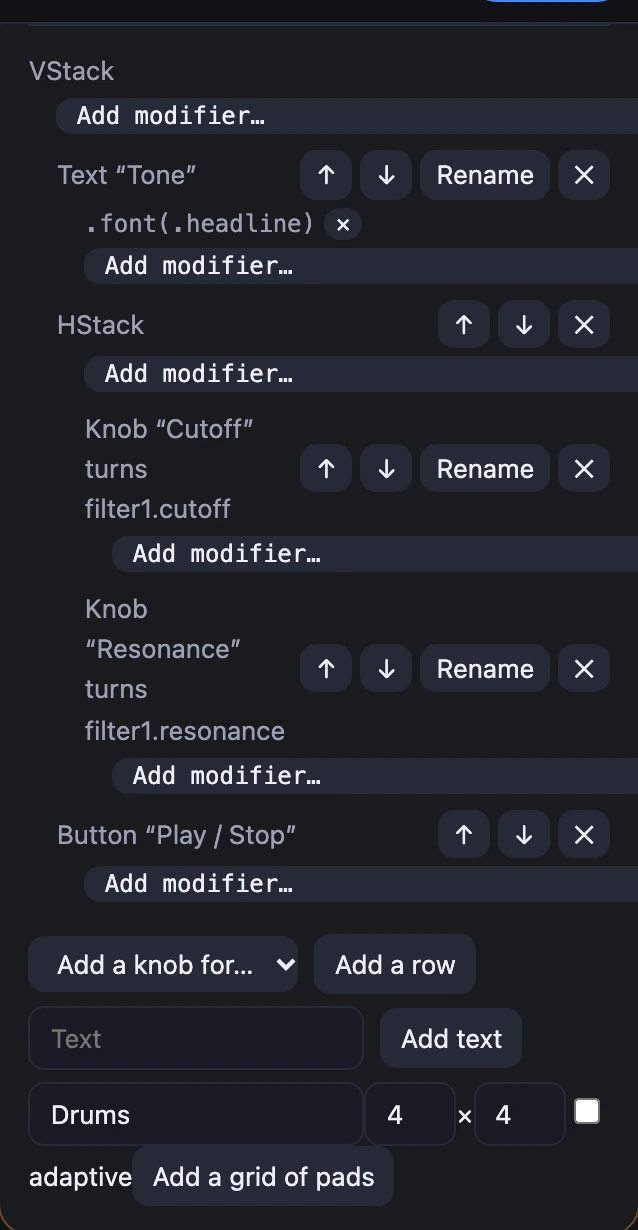
.font(.headline) on the Text, and Add modifier… on every line.
4The same SwiftUI as Apple's
A face follows SwiftUI exactly: the views' names, their parameters and the order they come in are Apple's, so Apple's SwiftUI documentation explains every line. When a face needs something new, it uses the view or modifier Apple already documents.
| In the face | What it is | Whose |
|---|---|---|
VStack | A column of views, top to bottom | Apple's SwiftUI |
HStack | A row of views, side by side | Apple's SwiftUI |
Text | Words, styled with modifiers like .font | Apple's SwiftUI |
Button | A press, its action in braces | Apple's SwiftUI |
Knob | Turns a setting, bound with value: | SynthMaker's own |
The whole file
Here is the face as a complete Swift file. SynthMaker's own names (Knob, Pad, the settings it turns) come first as small stand-ins, so the file type-checks with Apple's Swift compiler as it is.
Show the whole file
import SwiftUI // SynthMaker's names, as small stand-ins.struct Pad { func callAsFunction() {} func callAsFunction(_ n: Int) {} func perform() {} func perform(_ n: Int) {} func onPressingChanged(_ pressing: Bool) {} func onPressingChanged(_ n: Int, _ pressing: Bool) {}}@dynamicMemberLookup struct Settings { subscript(dynamicMember setting: String) -> Binding<Double> { .constant(0) }}struct Knob: View { init(_ title: String, value: Binding<Double>) {} var body: some View { EmptyView() }}struct Switch: View { init(_ title: String, value: Binding<Double>, states: Int) {} var body: some View { EmptyView() }}struct Filmstrip: PrimitiveButtonStyle { func makeBody(configuration: Configuration) -> some View { configuration.label }}extension PrimitiveButtonStyle where Self == Filmstrip { static func filmstrip(_ name: String, frames: Int = 1, size: Double = 64) -> Filmstrip { Filmstrip() }}extension View { func knobStyle(_ style: Filmstrip) -> some View { self } func switchStyle(_ style: Filmstrip) -> some View { self } func midiNote(_ note: Int) -> some View { self }} struct Tone: View { let play = Pad() let filter1 = Settings() var body: some View { VStack(alignment: .leading, spacing: 10) { Text("Tone") .font(.headline) HStack(spacing: 14) { Knob("Cutoff", value: filter1.cutoff) Knob("Resonance", value: filter1.resonance) } Button("Play / Stop") { play() } } }}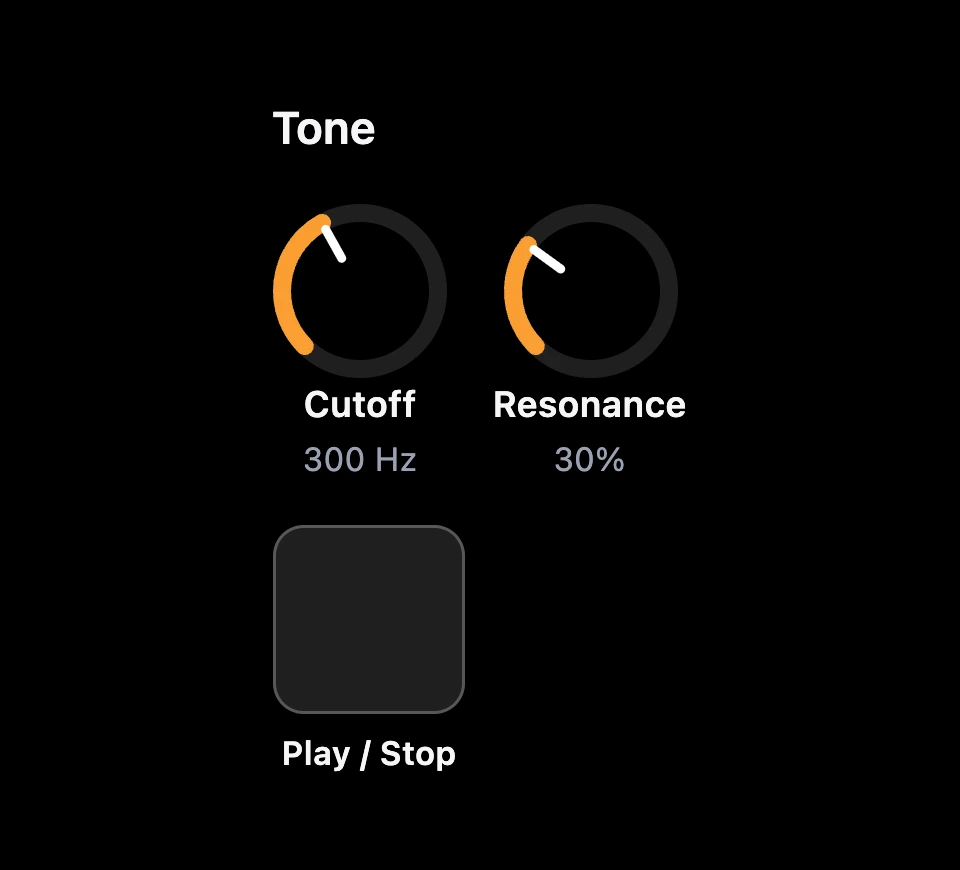
Try it
- Open it, choose Edit face on Tone's card.
- On the HStack line remove
.padding(12)with ✕, then add.paddingagain from Add modifier…: it goes after the background. - Set it to 12 and compare with the picture above.
Remember
- A modifier changes the view it follows, in the order written.
- In the Patch they're a purple chain,
previoustonext. - Names, parameters and order are Apple's, so Apple's SwiftUI documentation explains every line.