 SynthMaker
Share in the forum
Any patch or song you make can play inside a forum post, so others can hear it, see how it works and open it to change it.
New words
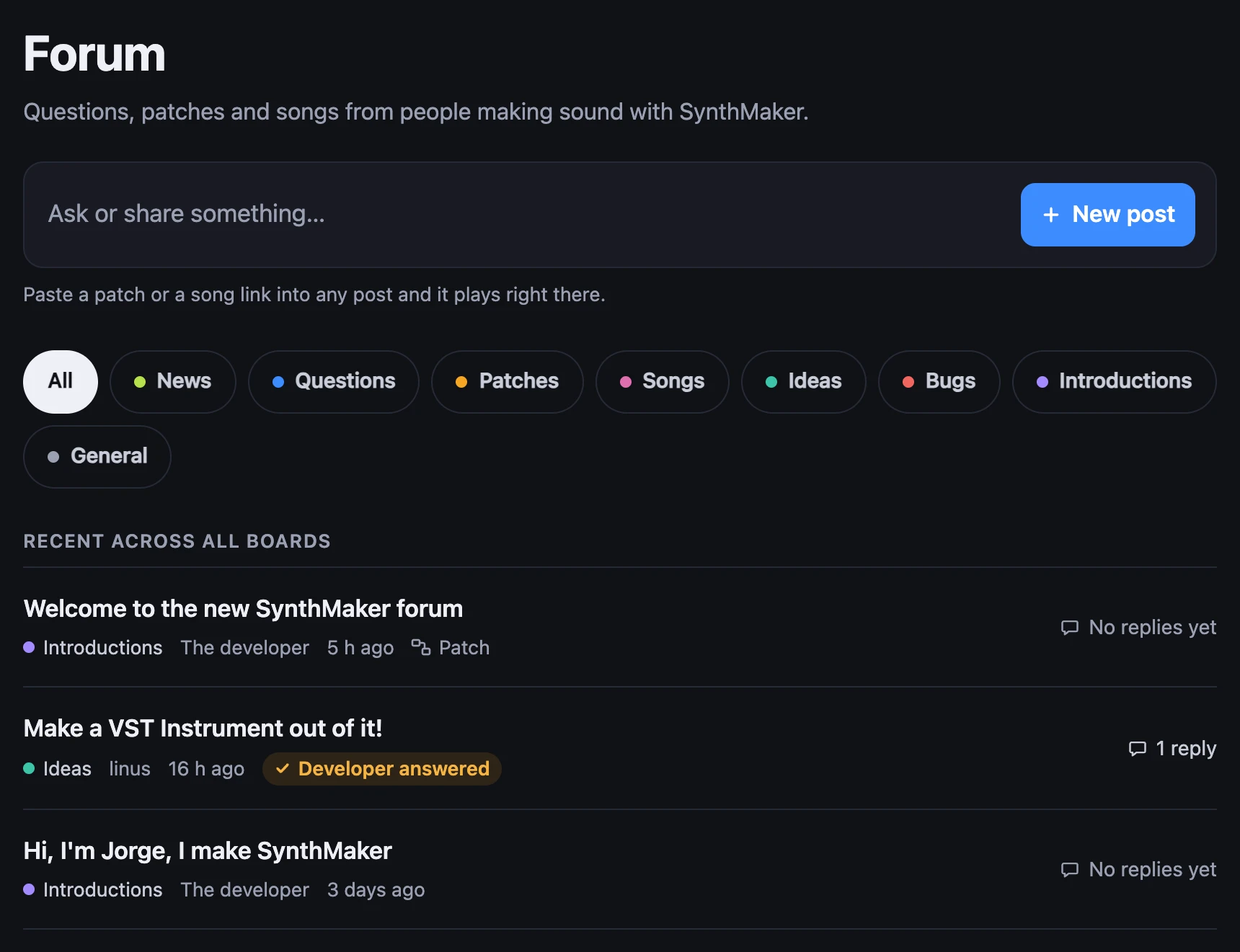
A board is one of the forum's topics: News, Questions, Patches, Songs, Ideas, Bugs, Introductions and General. Every post is on one board, and All shows them together.
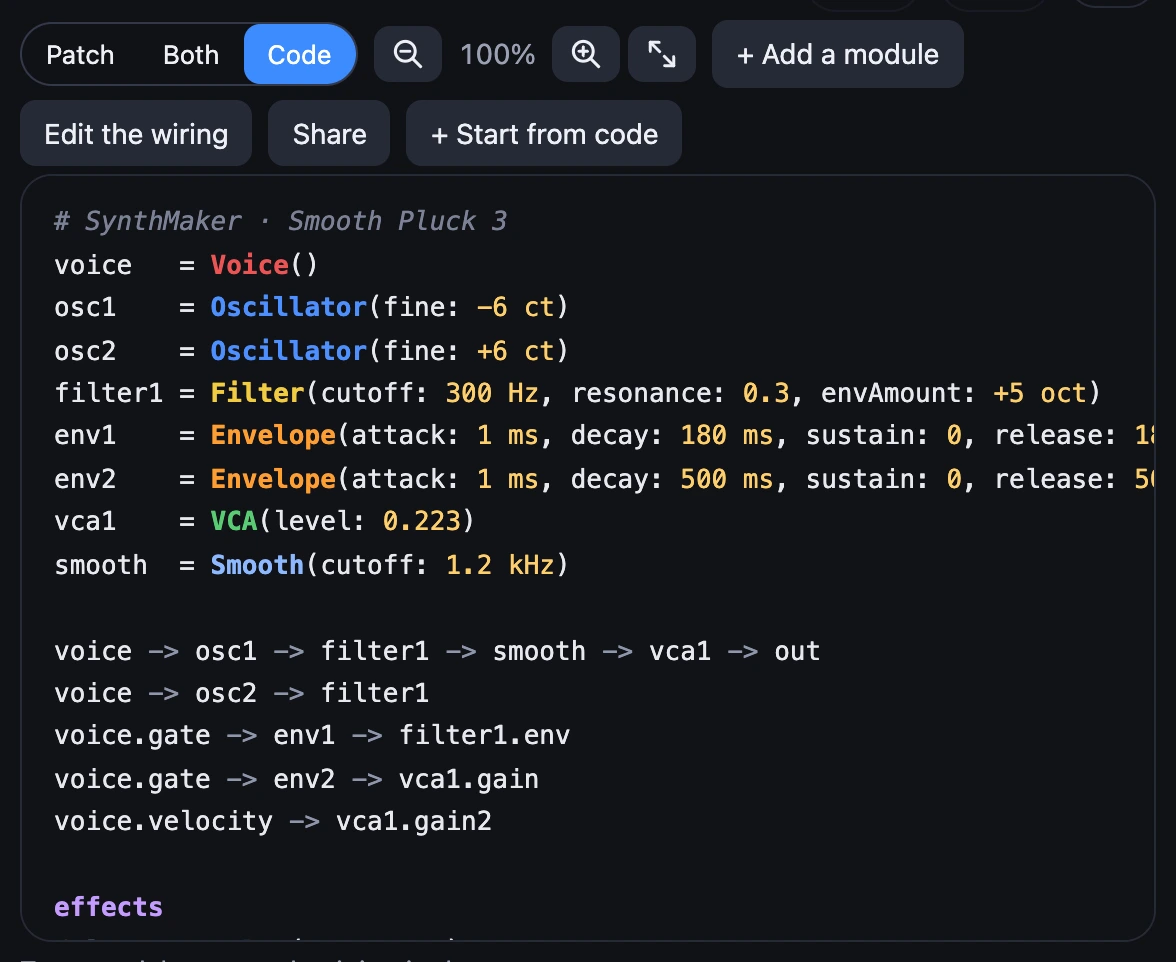
A patch link is a sound's address, synthmaker.com/app/#p=…, with the whole sound inside it. In a post it becomes the patch itself, ready to play.
1Write a post
At synthmaker.com/forum, choose New post (on a phone, Post). Give it a Title, and under Post say what you made or what you'd like to know.
Under Post to, pick a board: Questions to ask, Patches or Songs to share, Ideas for what SynthMaker could do, Bugs for something wrong, Introductions to say hello, and General for everything else. News is the developer's own board, for new releases and lessons; anyone can reply there.
Then choose Post. If you're not signed in, Post keeps your words and takes you to sign in, then brings you back to them. Before your first post, you choose the name shown next to what you post and agree to five short rules, once.

2Paste a patch or a song
A sound you made: with its code showing, choose Share, in the bar above the code. On the web, Share copies the sound's code with its link on the last line, after # Open it in SynthMaker:. Paste that link, the part that starts https://synthmaker.com/app/#p=. (Pasting the whole message works too: the link still plays, and the code shows as words in your post.) On the Mac, Share copies the link alone.
A sound that comes with SynthMaker: choose it in the web app, and the address in your browser ends with its short name, such as synthmaker.com/app/#factory.cloud-swell. Copy the address and paste it.
A song: choose Share a link… under your song's tracks, then Make a link and Copy (Finish and share a song shows how). A song link, synthmaker.com/s/…, becomes a song player in your post.
While you write, a patch link shows as a short mark, [▶ Cloud Swell], with a chip under the box. The chip's ×, or Backspace next to the mark, takes the whole link out. Your post keeps the full link. Song links are short, so they stay as they are.
3Press Play
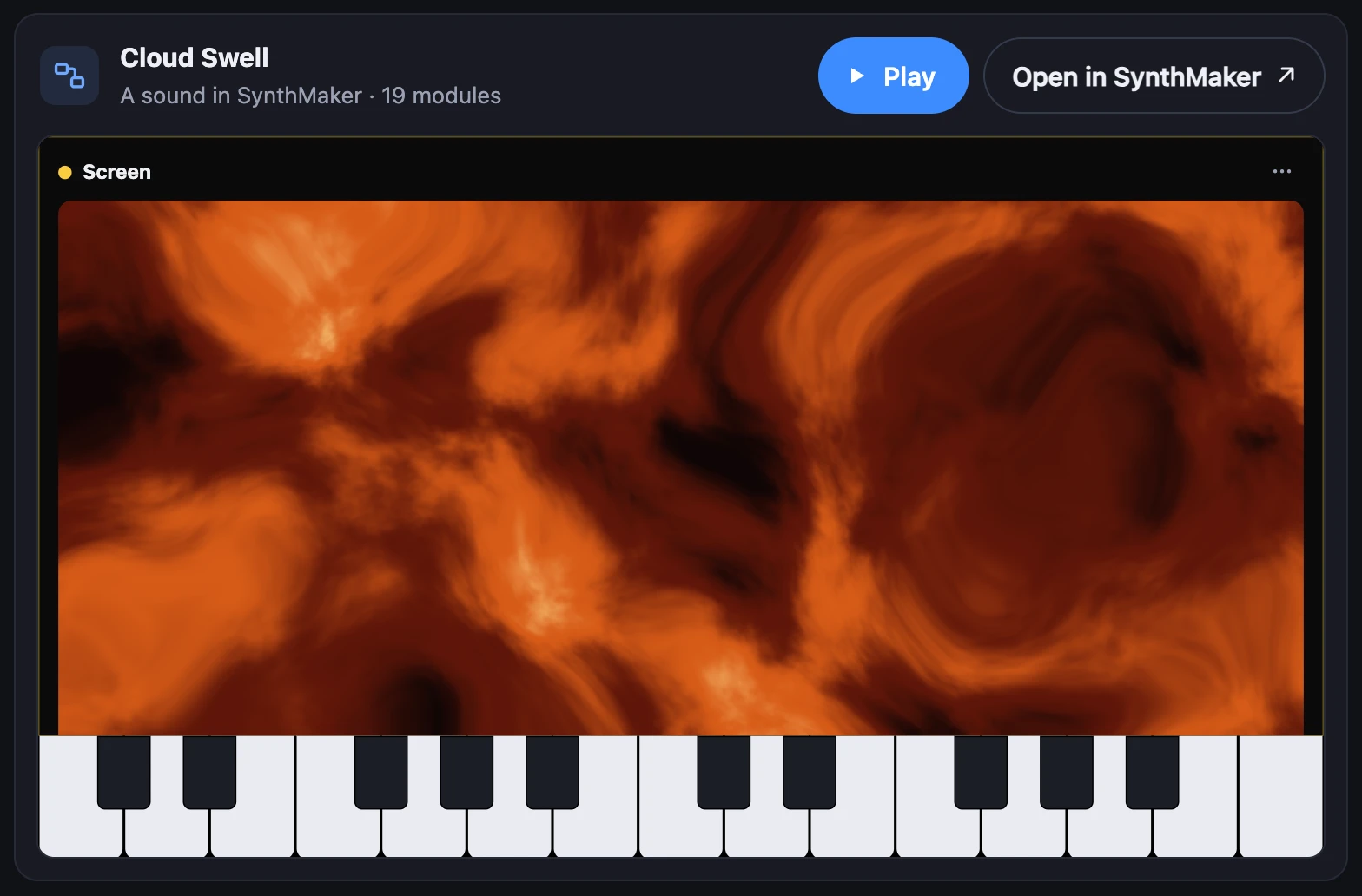
In the post, the patch shows as itself: its face, its Screen or its Patch, with keys to play, still and silent. Press Play and it runs right there, the same picture now moving and sounding. Stop ends it. One plays at a time, and one you scroll away from stops.
Open in SynthMaker opens it in the web app in a new tab, in a song of its own, ready to change and make yours.


4Replies, and reply emails
Anyone signed in can reply, in the Reply box at the end of a thread. When someone replies to your posts, Forum at the top of the forum shows a badge, and the forum's first page lists them under New replies to your posts. On Questions and Bugs, you can choose Mark as the answer on the reply that solved yours.
To get an email instead of checking, open your account at synthmaker.com/account and, under Forum emails, switch on Email me when someone replies to my posts. Each email has a link to the replies. They're off until you switch them on.
To stop them, switch it off again, or choose turn off reply emails at the bottom of any of the emails, then Stop reply emails: no signing in. A mail app that shows its own Unsubscribe button stops them in one click.
5Edit or move your post
On your own post or reply, choose ⋯, then Edit post (or Edit reply). Change the words, and a post's title, then choose Save. It's marked edited.
Posted on the wrong board? While you edit your post, pick another one under Board, and the whole thread moves there, replies and all.
Blank lines stay as you typed them: one empty line between paragraphs is one line of space.
Try it
- Open the forum and press Play on Cloud Swell in the welcome post.
- In SynthMaker, choose one of its own sounds, copy the address and paste it into New post: it turns into a chip.
- Choose Close: your draft waits on this device until you post it.
Remember
- New post: a title, your words, and a board under Post to.
- A patch link (Share, or a built-in sound's address) or a song link plays right in your post; while you write, a patch link is a small chip.
- Forum emails, in your account, tell you when someone replies; the link in any of them turns them off.
- ⋯ › Edit post changes your words and moves the thread to another board.