 SynthMaker
Oversampling
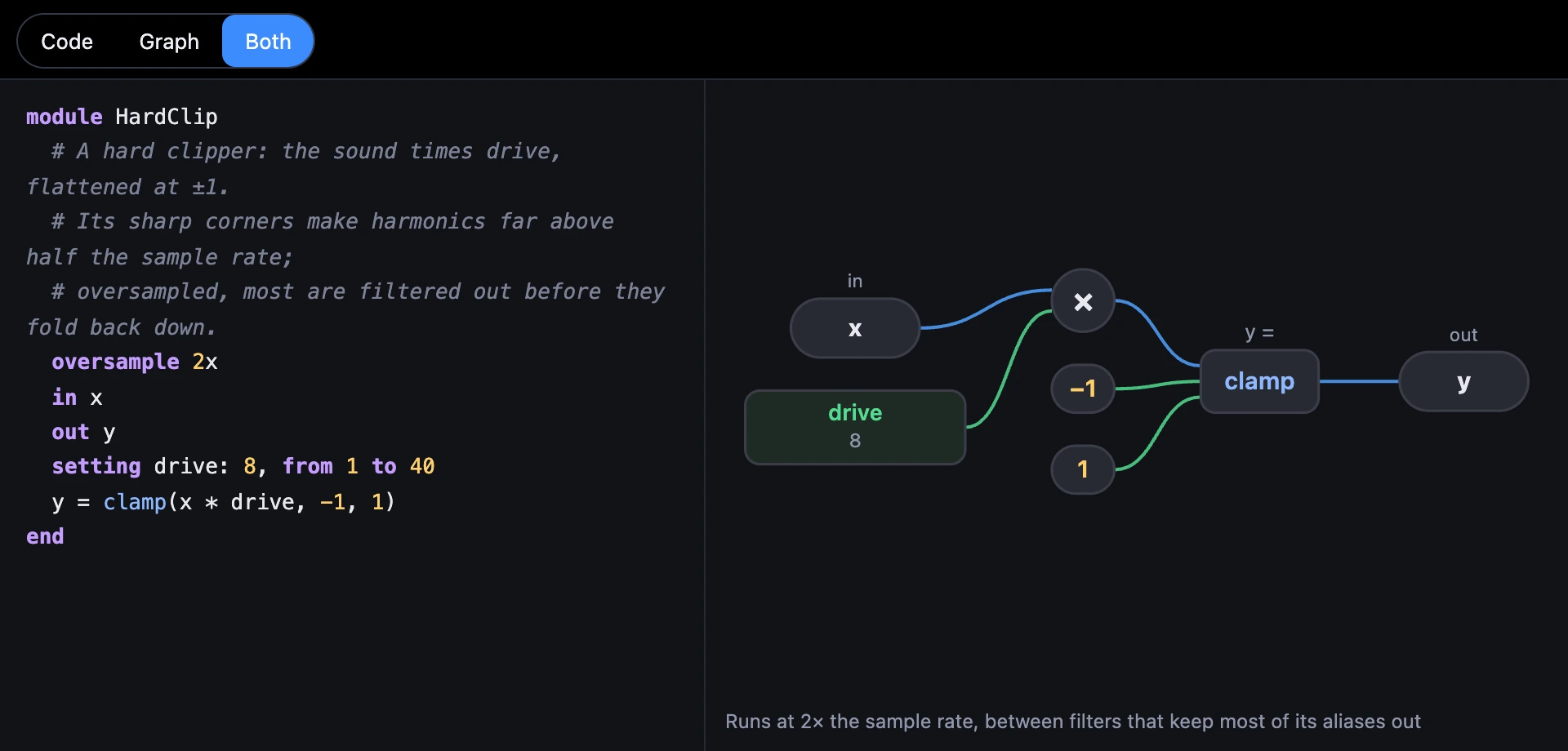
A Code module that bends its sound, a clipper or a wave folder, makes harmonics far above what the sample rate can hold, and they fold back down as notes that don't belong. One line, oversample 2x, runs the module at twice the rate, where most of them are filtered out first.
1One line
Put oversample 2x (or 4x, or 1x for none) anywhere inside the module, as a circuit has it. Every sample, SynthMaker then runs the module's lines twice (or four times), with its inputs made smooth at the higher rate first and its outputs filtered back down after.
Inside, rate is the higher rate, so every formula that uses it keeps its meaning: a 10 ms glide is still 10 ms.
module HardClip # A hard clipper: the sound times drive, flattened at ±1. oversample 2x in x out y setting drive: 8, from 1 to 40 y = clamp(x * drive, -1, 1)end2See the difference
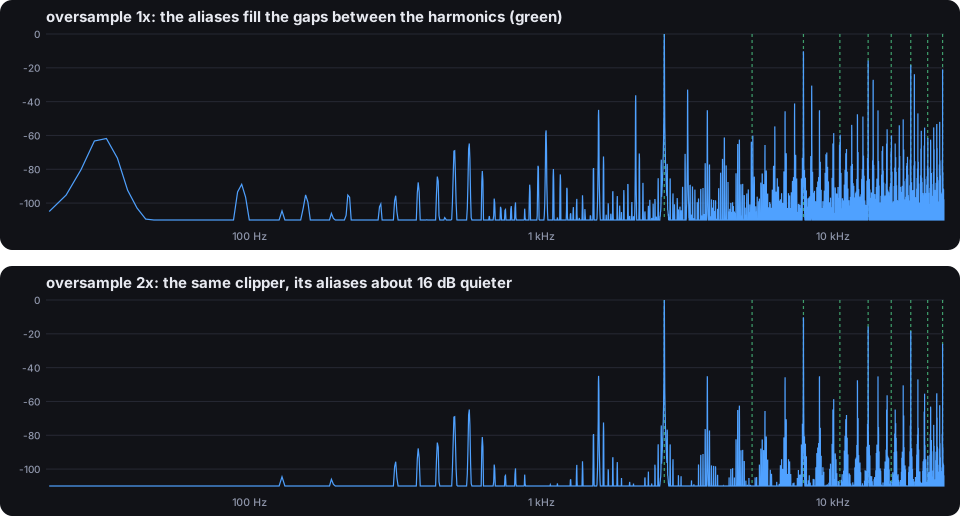
A high sine through the clipper, its spectrum as an Analyzer draws it. The note's harmonics are the green lines. At 1×, the harmonics the clipper made above half the sample rate have folded back into the gaps between them. At 2× most of them are filtered away before they can: the aliases are about 16 dB quieter, and at 4× about 27 dB.
Try it
- Open Hard Clip, play a high note, and look at its Analyzer's spectrum.
- Open the Code module and change
oversample 2xto1x: the gaps fill with aliases.
Remember
oversample 2xor4xruns a Code module at that many times the rate.- It's for modules that bend the sound;
rateinside is the higher rate. - Its graph says the rate it runs at.