 SynthMaker
A row for every pad
Wire a bus into a Chord, a Note or a Track and it lists every pad that arrives. Each row says what its pad plays.
New words
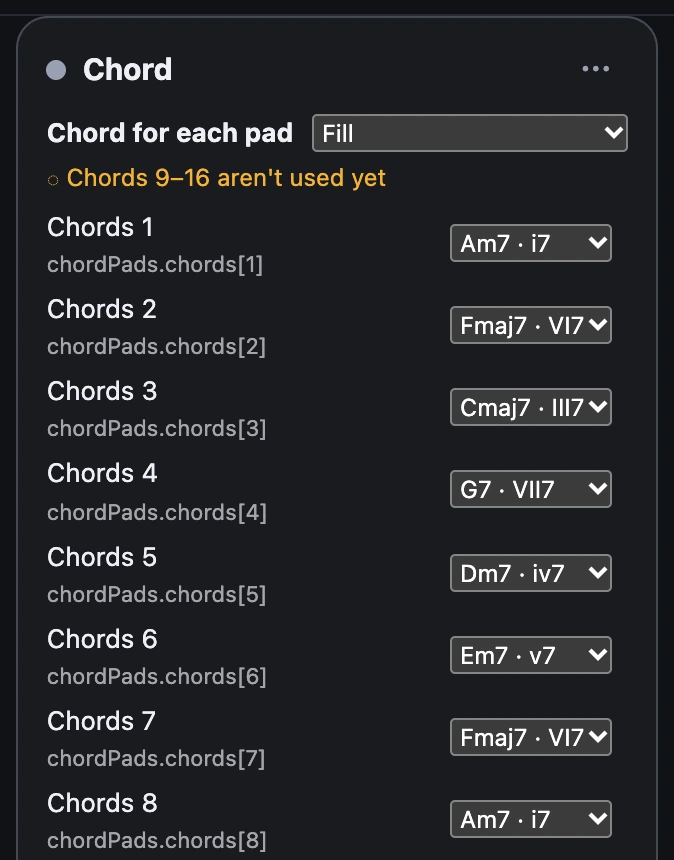
A list is a Chord's, Note's or Track's rows when a bus is wired in: one row per pad, each saying what that pad plays.

1A chord for every pad
Chord Pads from the bus page: one Chord, sixteen pads. Its rows come in the bus's order.
- Look at the Chord's card. Under its title is Chord for each pad, and a row per pad: its name, Chords 1, over its tag.
- Pick a chord for a pad, from the song's key: Am7 · i7, Fmaj7 · VI7…
- Or let Fill do them all at once, from the song's chords or the key's.
A pad without a row plays nothing.
Try it
- Open Chord Pads and hold pad 1, then pad 2: two chords, each ending when you let go of its own pad. Pads 9 to 16 have no chord yet, on purpose.
- Give pad 9 a chord. The amber note now starts at Chords 10.
2Fill them all at once
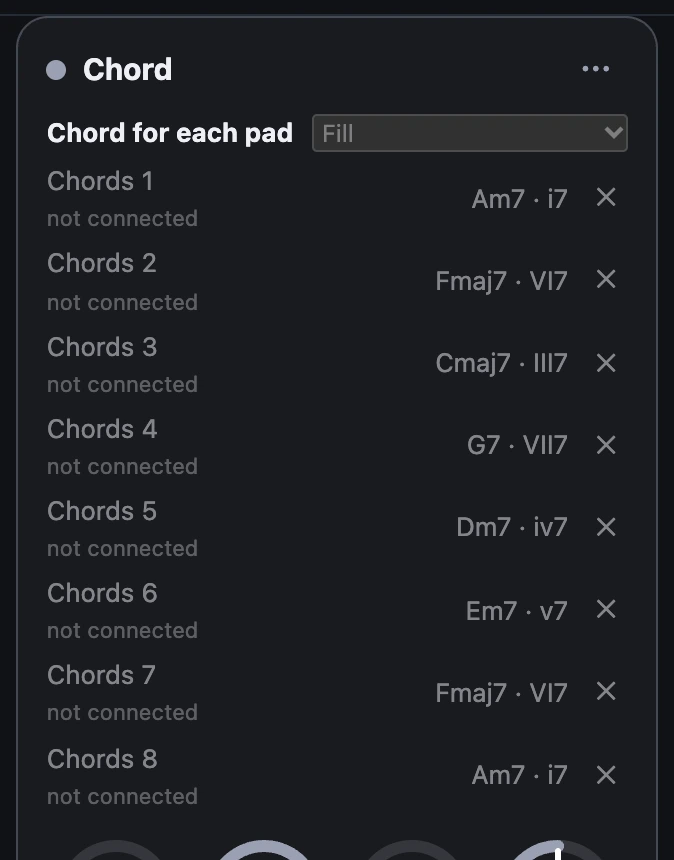
Fill gives every arriving pad a value, in order, and goes round again if there are more pads than values.
| Module | Fill offers |
|---|---|
| Chord | The song's chords (when the song has a progression), or The key's chords, I to VII, as sevenths |
| Note | Semitones up from its own note, as a drum kit is mapped, or The key's notes up from it |
| Track | The song's tracks, in order |
3A note for every pad
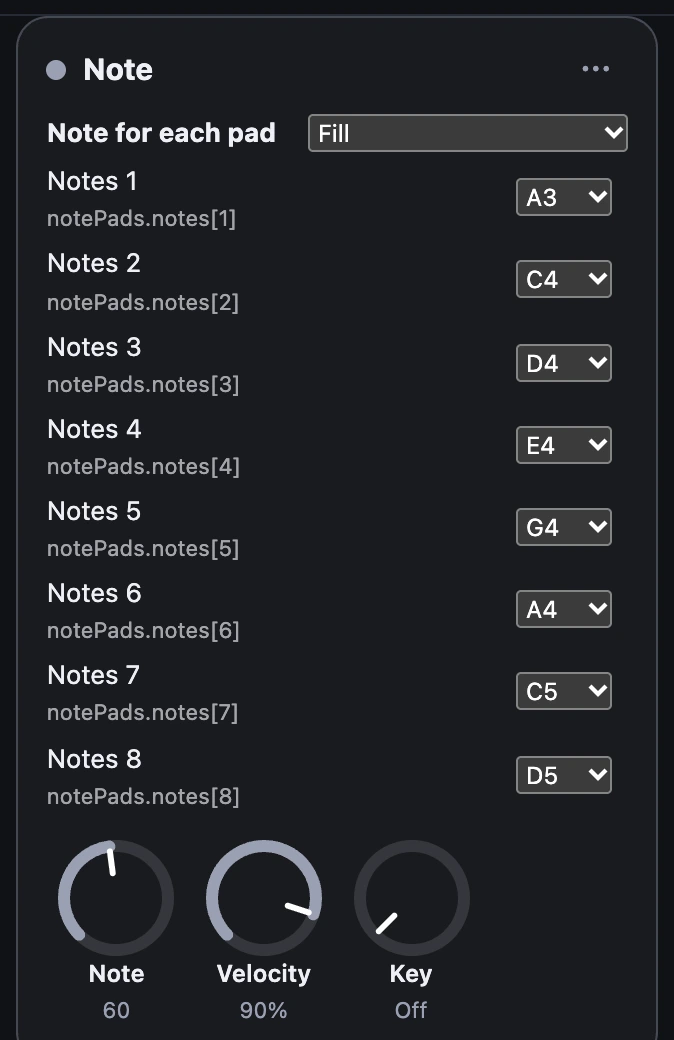
A Note's rows hold a note name with its octave, where middle C, MIDI 60, is C4: A3, F#1, Bb2. Note Pads plays a pentatonic scale, a note per pad.
With Key Snap on, each pad's note moves into the song's key, as the Note's own note does.
4A track for every pad
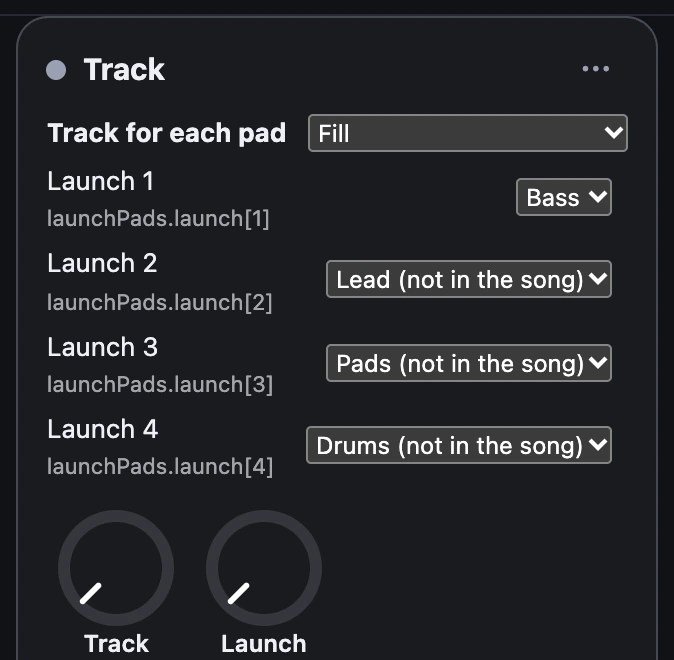
A Track's rows name a track of the song, as its track picker shows them. A tap on a pad starts its own track, or stops it if it's playing; a pad held starts it and letting go stops it. A name no track has shows (not in the song) and launches nothing.
Wire the Track's playing into the grid's isLit and each pad lights while its own track plays.
notePads = NotePads()note = Note() { notePads.notes[1]: A3 notePads.notes[2]: C4 notePads.notes[3]: D4 notePads.notes[4]: E4 notePads.notes[5]: G4 notePads.notes[6]: A4 notePads.notes[7]: C5 notePads.notes[8]: D5} …notePads.notes.onPressingChanged -> note -> voiceTry it
- Open Note Pads and play pads 1 to 8 in turn.
- Choose Fill › Semitones up from C4 and play them again.
- Turn on Key Snap: the pads stay in the song's key.
Remember
- A Chord, Note or Track with a bus wired in gets a row per pad; a pad without one plays nothing.
- Rows hold a chord (
VI7), a note (C4) or a track's name. - Fill does every row at once; unwired rows wait, grey.