 SynthMaker
Your sound as code
Every sound can be read as text, one module per line and one line per wire. Change the text and the sound changes with it; change a knob and the text follows.
New words
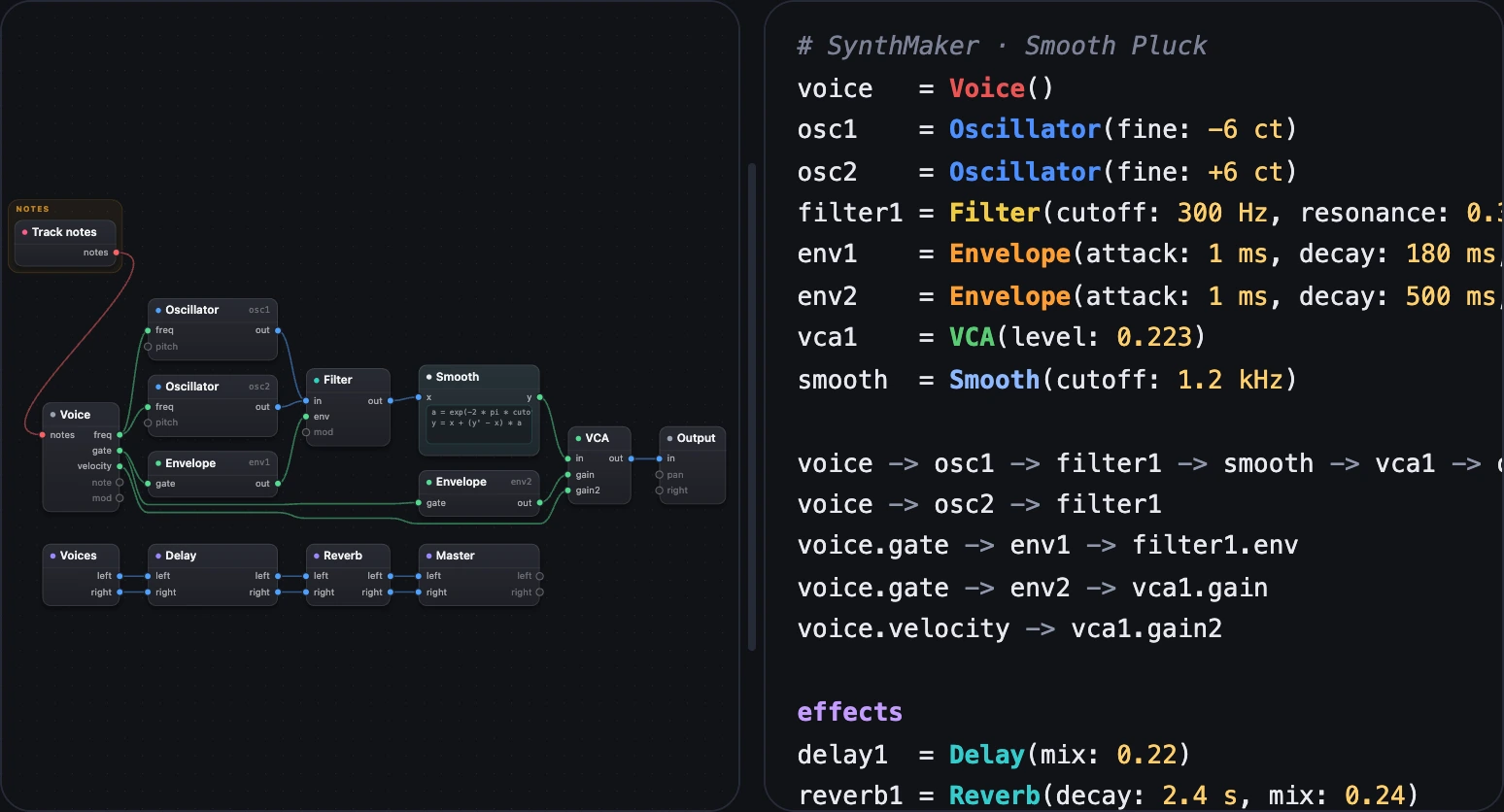
SMPL, SynthMaker Patch Language, is a sound as text: one module per line, one line per wire. The Code view shows it beside the Patch.
1Patch, Both or Code
Above the Patch, choose Both to see the code beside it, or Code for the code alone. On a phone, the Patch's Code button opens it.
In SynthMaker, choose a module in the Patch and its line lights; put the cursor on a line and its module is chosen.
2Reading it
- A module:
name = Module(setting: value). Settings left out are at their defaults. - A wire:
a -> b, in chains (voice -> osc1 -> filter1), and with commas for several (a -> b, c). A port is named after a dot:voice.gate -> env1. - Values as the knobs show them:
300 Hz,180 ms,-6 ct,Saw. - Sections:
notesandeffectssay where the note modules and the effects begin. - The first comment,
# SynthMaker · Smooth Pluck, is the sound's name.
# SynthMaker · Smooth Pluckvoice = Voice()osc1 = Oscillator(fine: -6 ct)osc2 = Oscillator(fine: +6 ct)filter1 = Filter(cutoff: 300 Hz, resonance: 0.3, envAmount: +5 oct)env1 = Envelope(attack: 1 ms, decay: 180 ms, sustain: 0, release: 180 ms)env2 = Envelope(attack: 1 ms, decay: 500 ms, sustain: 0, release: 500 ms)vca1 = VCA(level: 0.223)smooth = Smooth(cutoff: 1.2 kHz) …voice -> osc1 -> filter1 -> smooth -> vca1 -> outvoice -> osc2 -> filter1voice.gate -> env1 -> filter1.envvoice.gate -> env2 -> vca1.gainvoice.velocity -> vca1.gain2 …effectsdelay1 = Delay(mix: 0.22)reverb1 = Reverb(decay: 2.4 s, mix: 0.24)master = Master(volume: 1) …voices -> delay1 -> reverb1 -> master
voice -> osc1 -> filter1 -> smooth -> vca1 -> out is this chain of wires.
3Type to change the sound
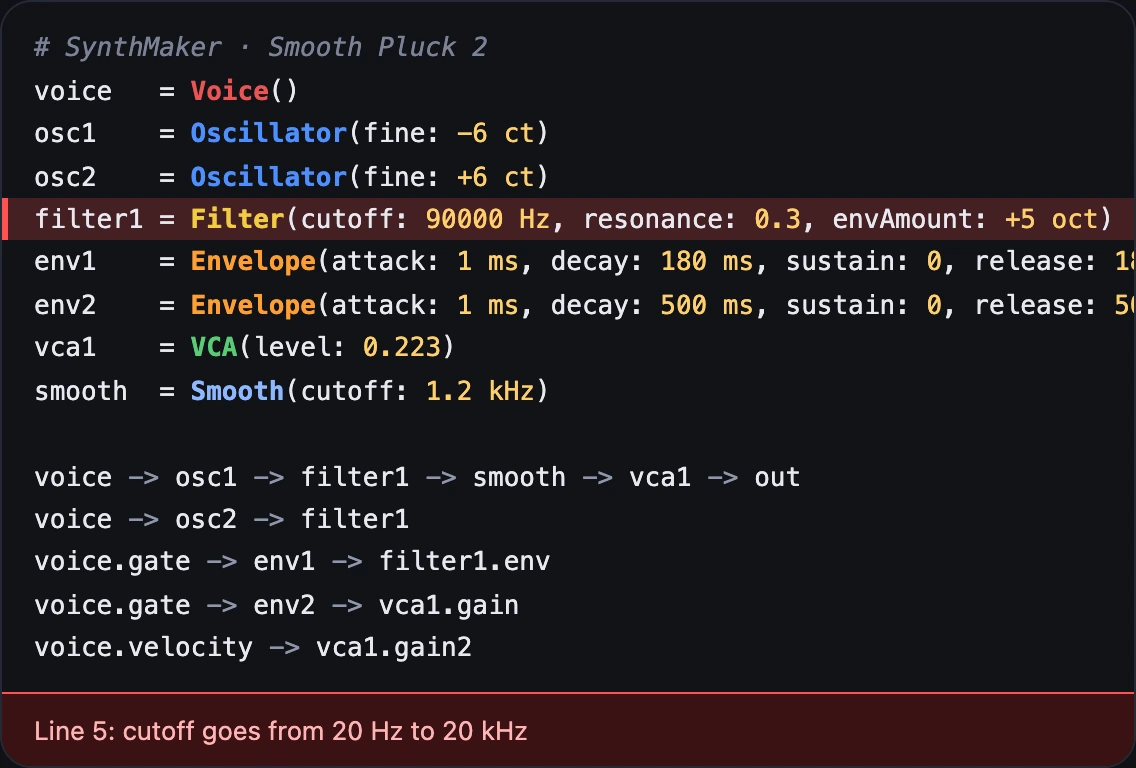
The sound changes as soon as the text reads. A line with a mistake turns red, with what's wrong (cutoff goes from 20 Hz to 20 kHz), and the sound keeps its last good version. Each pause in typing is one undo step.
Try it
- Open Smooth Pluck and choose Both.
- Change
Filter(cutoff: 300 Hzto900 Hzand play: brighter. - Type
90000 Hz: the line turns red and the sound stays as it was.
On the Mac, the Code view sits beside the Patch the same way, with the same text.
Remember
- Both or Code shows the sound as text: modules, then wires.
- Typing changes the sound once the text reads; a mistake turns its line red.
- A chosen module lights its line, and the cursor chooses a module.